 Load Geometry from SPS - Geomage g-Platform - YouTube
|
<< Click to Display Table of Contents >> Navigation: How-To Seismic Processing > Best Practices Tutorial > Seismic Processing Basics > Geometry and QC
|
In the g-Platform™ system there are few main steps in geometry assignment process:
1.Load traces header information from the input seismic gathers (SEGY, SEGD, ...). For this task we have several options by using different modules: Read SEG-Y traces, Convert SEG-D to SEG-Y, and other.
2.Load source and receiver X, Y coordinates and their relation, in other words it is set of navigation files (SPS, UKOAA/P190) via Load geometry from SPS, Load geometry from UKOOA P1/90, Load geometry from ASCII, Load geometry from SEG-P.
3.The next step is merging input seismic traces headers with navigation information. This step is called geometry assignment and g-Platform™ offers interactive tool Geometry application for the current step, as well as geometry Quality Control.
4.Finally, we should save resulting seismic traces with updated traces headers (with geometry). There are special modules for saving seismic data into the internal g-Platform™ database: Save seismic, Save seismic by gather.
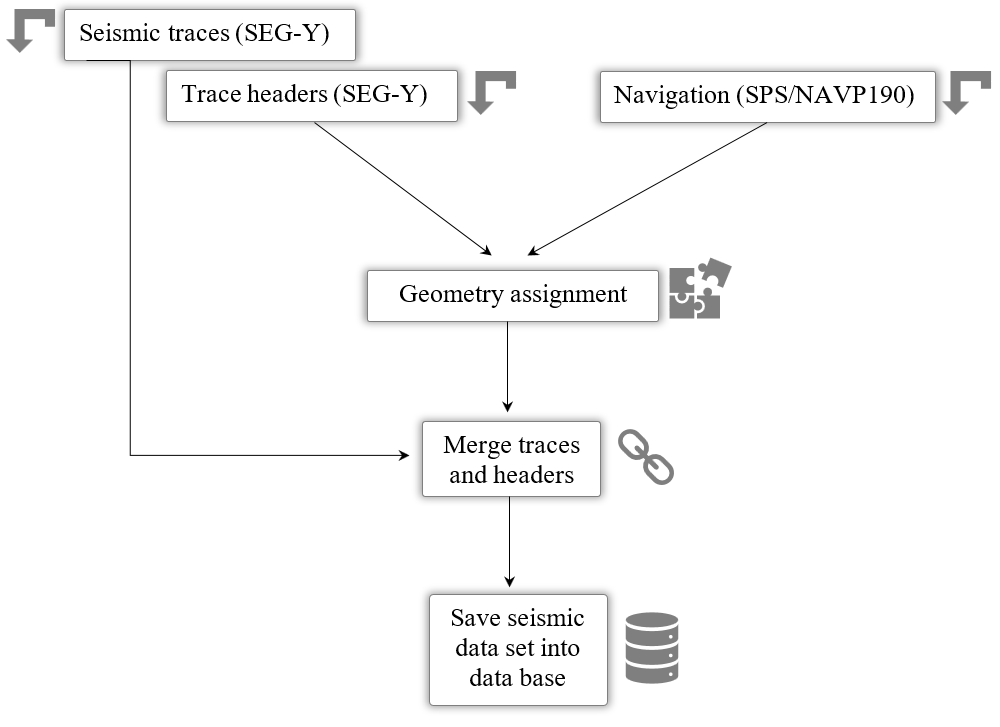
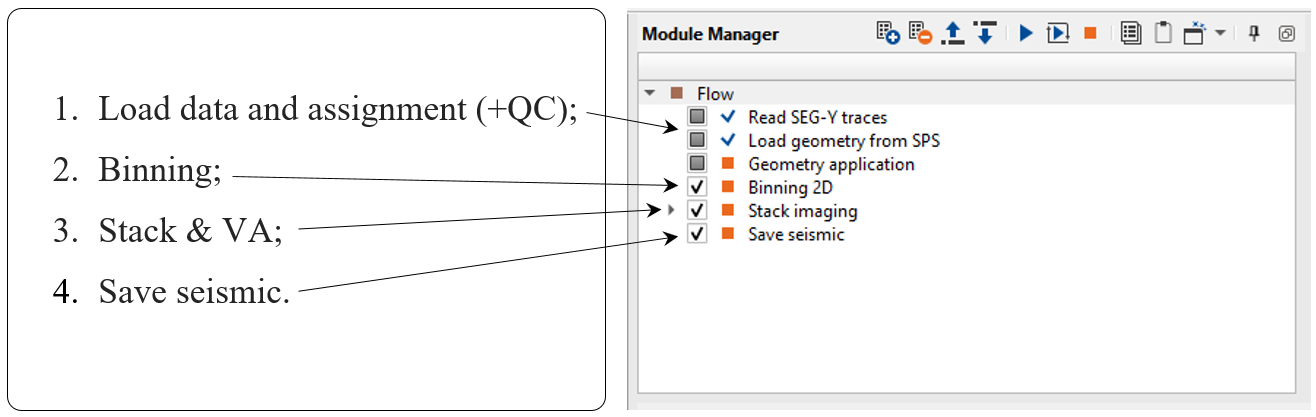
A block scheme is shown on the left, while the geometry workflow is displayed on the right:
Load Geometry from SPS - Geomage g-Platform - YouTube