In the Tracking Info section of the Workflow Manager Panel, the user can view interactive key numerical information for the selected Vista in the Client Manager Area.
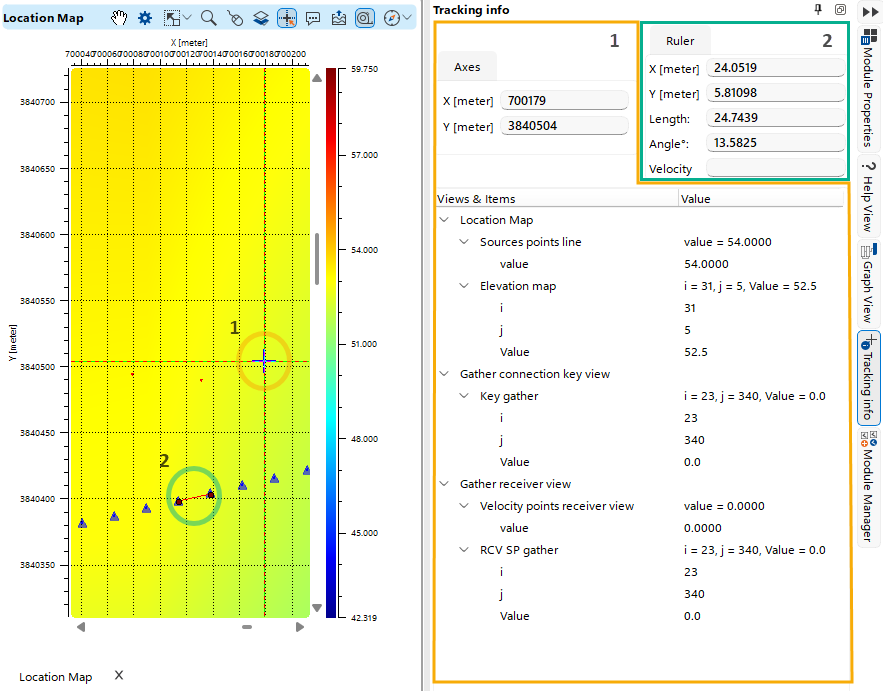 As the user moves the mouse cursor within a Vista window, key numerical information is displayed in the Tracking Info section (1). When the user makes measurements using the Ruler Tool in the Vista, the Ruler tab (2) of the Tracking Info section stores the measurement values.