In some cases, it is useful to perform quick measurements directly within an opened Vista View, whether it displays seismic data (1) or a map (2). When the user clicks the corresponding Vista Shortcut Button  , the Ruler Tool is activated for the current Vista View.
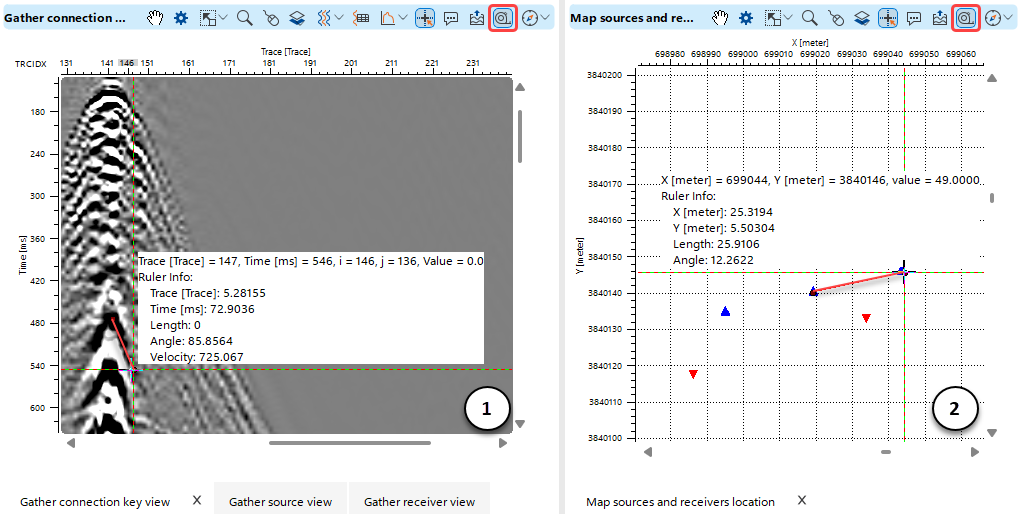 To perform a measurement, the user simply draws a line using the Left Mouse Button (click–drag–release). The measured values are displayed immediately in an interactive pop-up, which is fixed once the mouse button is released. All measured values are also shown in the Tracking Info section.
Available measurements include:
•X-axis length
•Y-axis length
•Total line length
•Line angle (start to end, in degrees)
•Linear velocity (for seismic data)