g-Platform uses its own format for seismic data sets with the GSD extension which is located on the disk in accordance with the project configuration. Save seismic is used for saving seismic data in case we upload a date set into RAM, Save seismic by gather is used in case we dont load data set into RAM, but should use another module Seismic loop cooperatively. Let's look at the first one:
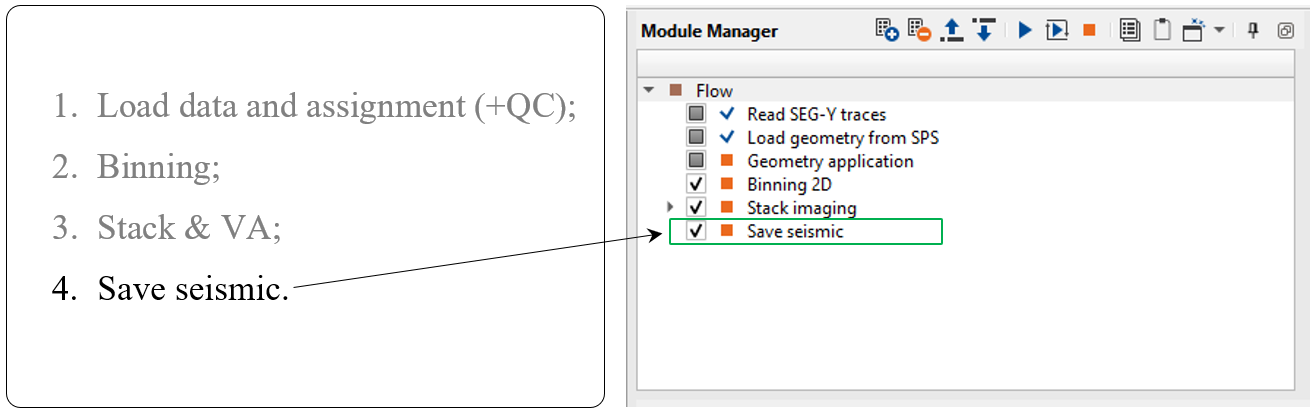
Save seismic
The final step in workflow is saving seismic traces with all geometry information in headers: SOURCE_X, SOURCE_Y, RECEIVER_X, RECEIVER_Y, OFFSET, SOURCE_SP, RECIVER_SP, SOURCE_ELEV, RECEIVER_ELEV, CDP, BIN_X, BIN_Y, BIN_ELEV, ...
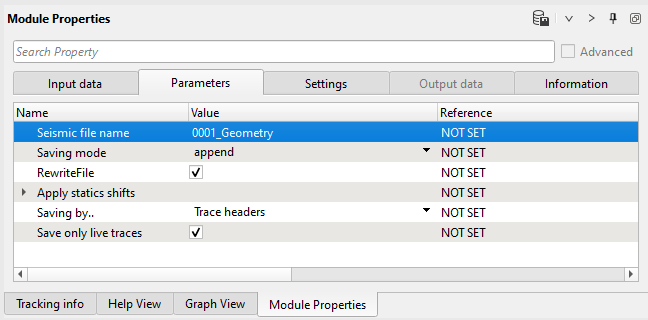
Write a name for the output data set and execute the module for saving seismic data set into DB.
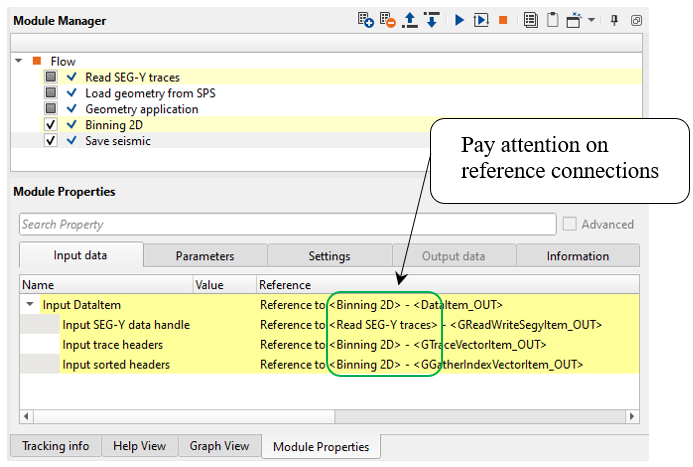
Input data:
Parameters:
-----------------------------------------------------------------------------------------------------------------------------------------------------------------
 Be careful with the Saving mode = Append, in this case each time you execute module, each time it is adding seismic traces to the previous file, in other word 2 times run will lead to duplicates traces in output 0001_Iput_SEGY_2D file. To avoid the problem use RewriteFile mode.
-----------------------------------------------------------------------------------------------------------------------------------------------------------------
 If you have any questions, please send an e-mail to: support@geomage.com