Shale Volume
The Shale Volume wizard estimates the fraction of shale within a formation based on well log data. It supports several industry-standard methods using Gamma Ray (GR) or Spontaneous Potential (SP) logs, as well as a Neutron–Density cross-plot method.
The output is a Vshale (Vsh) curve that represents the volumetric proportion of shale along the wellbore.
Input Parameters
- Well selection: Choose one well or activate Batch calculation to process all wells or a selected group from the Data Manager.
- Depth filter: Define the interval for calculation by using MD range, TVD/TVDSS range, or by selecting the depth between markers. Alternatively, the Zones range tab limits the calculation to one or more zones ticked in a zone set. A selected zone that does not exist in a well is skipped.
- Curve selection: Select the log(s) to be used — Gamma Ray or SP for the single-log methods, or Neutron Porosity and Density for the Neutron–Density method.
- Parameter limits: Set clean and shale reference values for the chosen curve (manual or automatic). Each parameter has a fixed unit, shown in its own column to the right of the field: API for the Gamma Ray curve, GR min and GR max; mV for the Spontaneous Potential curve, SP clean and SP baseline; and v/v or g/cc for the Neutron–Density end points. These units do not follow the project unit system, unlike the depth fields on the range tabs, which are labelled in the project depth unit (ft or m).
- Output curve: The name for the resulting shale volume log. The wizard fills it in automatically from the selected method, for example ShaleVolume - Linear Index (GR), and ShaleVolume – NeutronDensity for the Neutron–Density method. Changing the method regenerates this name and re-selects an input curve that suits the new method, so type a name of your own last. The list beside the field sets the unit of the result, fraction (the default) or %; it scales the calculated values and is stored as the unit of the saved Vsh curve.
Each method generates a Vshale (Vsh) log, displayed alongside the input curve for visual comparison.
Users can review results on the Input/Output panel, adjust parameters, rename the output curve directly in the wizard, and click Save to store it in the project.
Calculation Methods
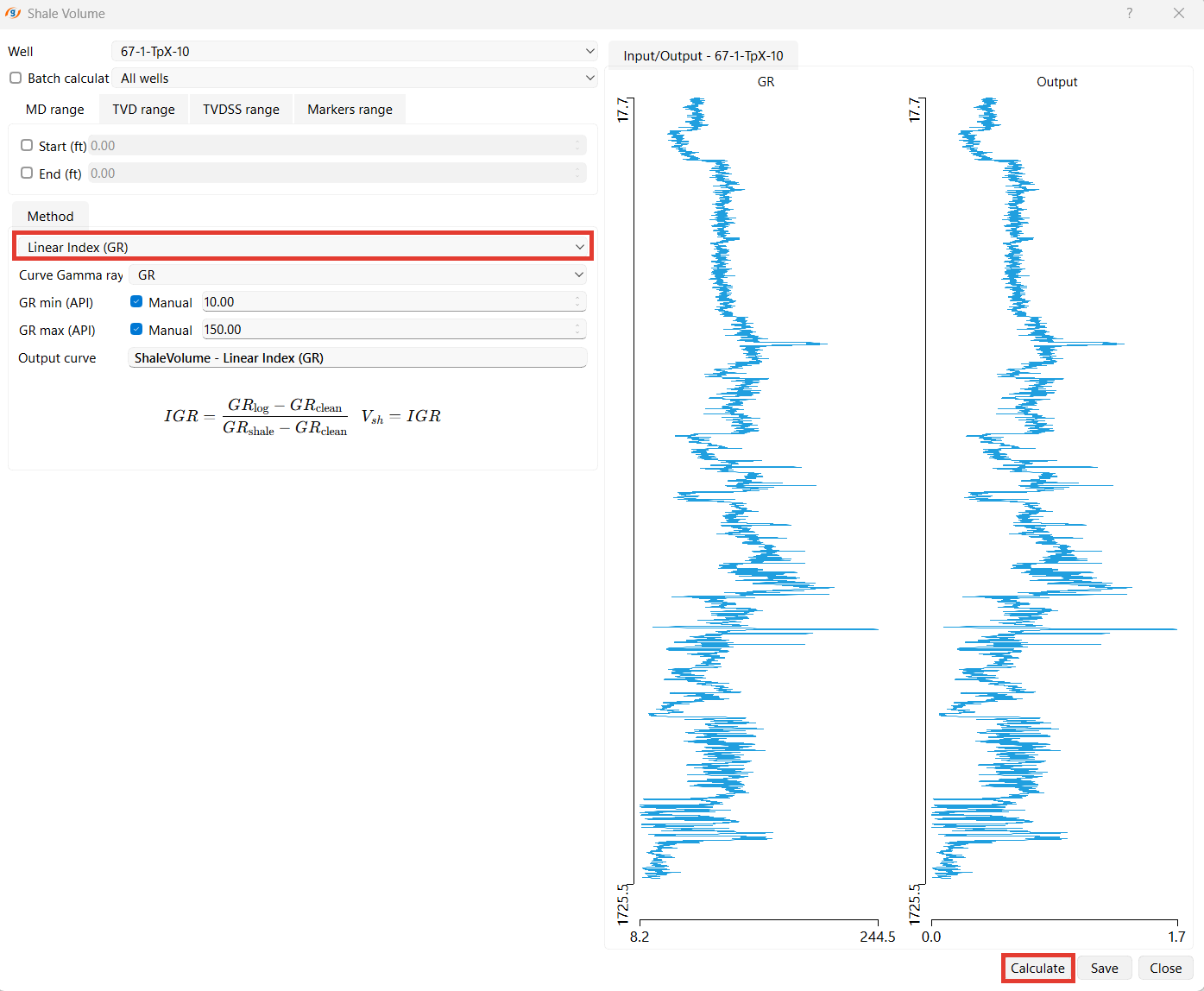
1. Linear Index (GR)
This is the simplest approach assuming a linear relationship between Gamma Ray values and shale content.
Use:
- Quick estimation for clean sand–shale sequences.
- Best applied when GR response is approximately linear with shale content.
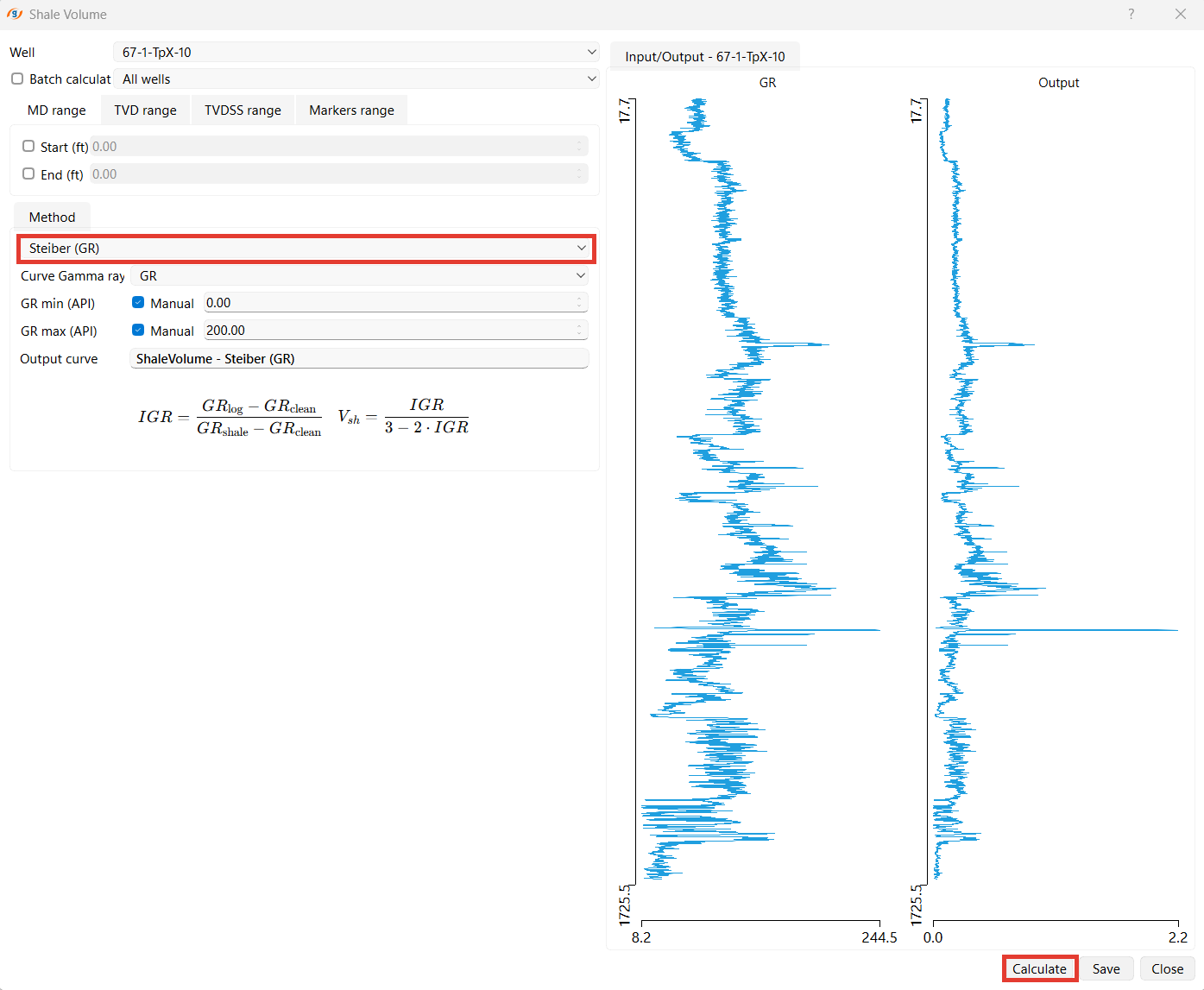
2. Steiber (GR)
Introduces a non-linear correction to better reflect compaction and radioactive mineral effects.
Use:
- Suitable for mixed lithologies and compacted formations.
- Reduces overestimation of shale content in clean sands.
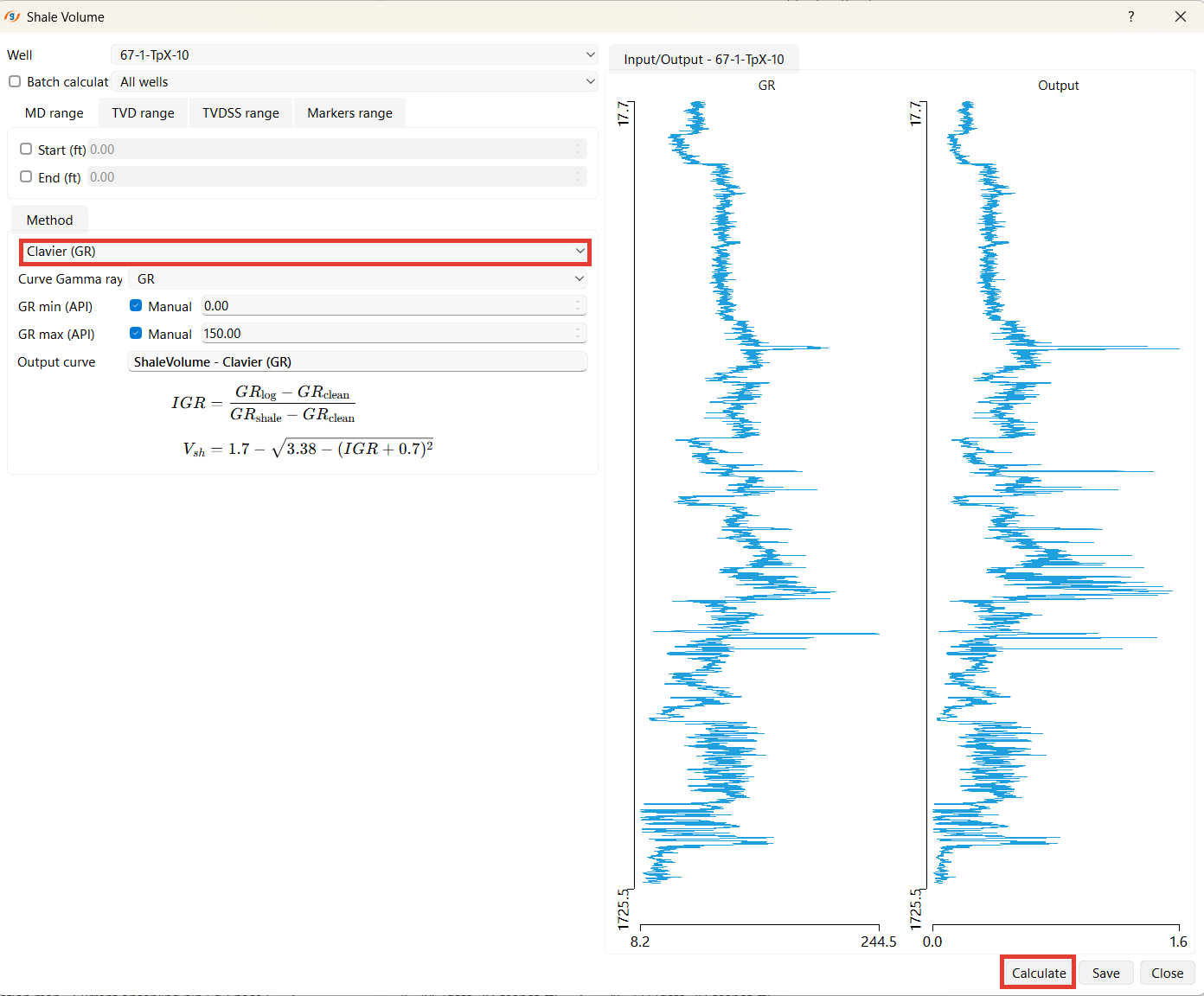
3. Clavier (GR)
An empirical formula that smooths the transition between clean and shaly intervals.
Use:
- Appropriate for moderately shaly formations.
- Often applied to Tertiary clastic reservoirs.
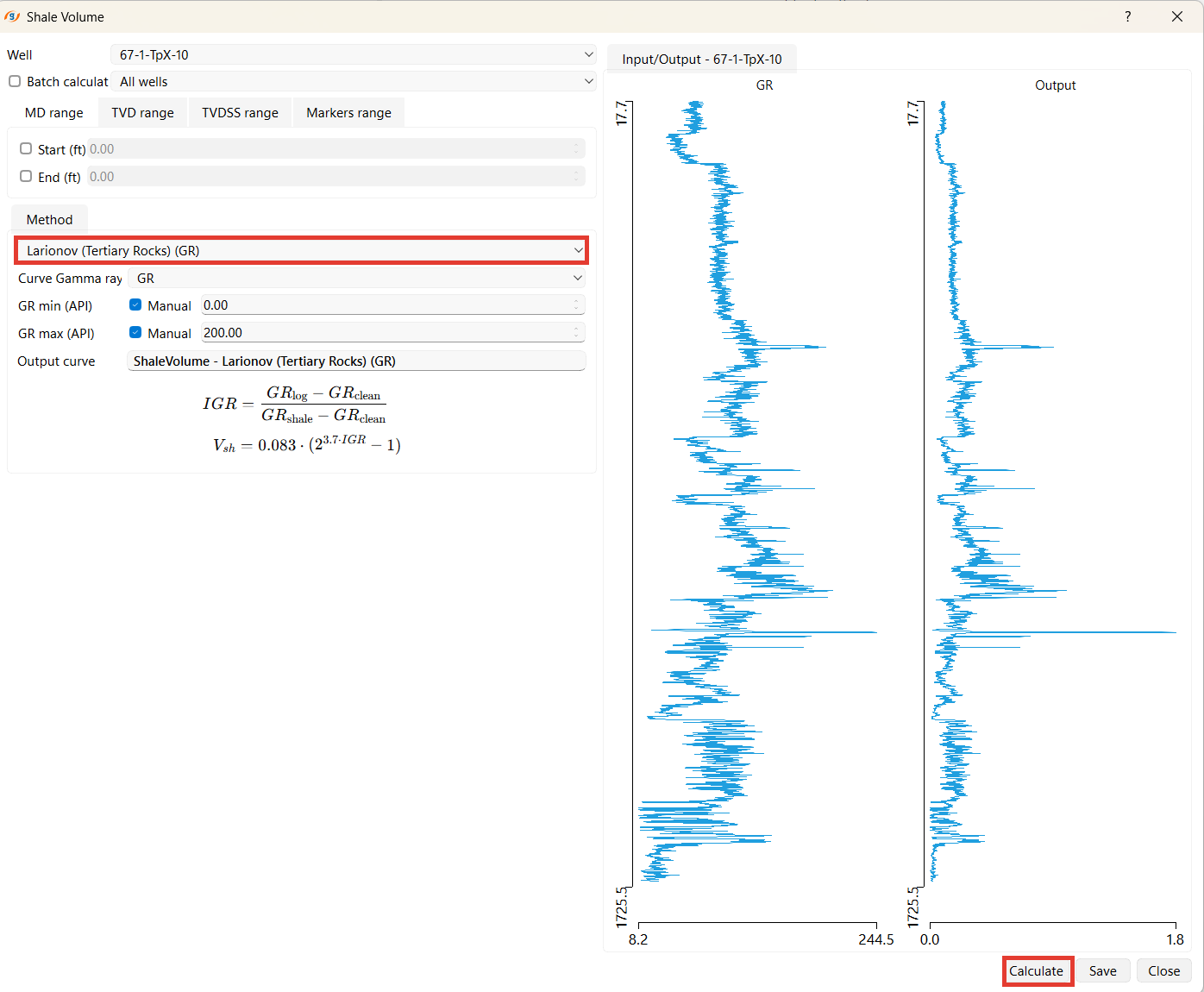
4. Larionov (Tertiary Rocks) (GR)
Developed by Larionov (1969) for young sedimentary sequences with low compaction.
Use:
- Recommended for Tertiary rocks and soft sediments.
- Corrects for overestimated shale content in younger formations.
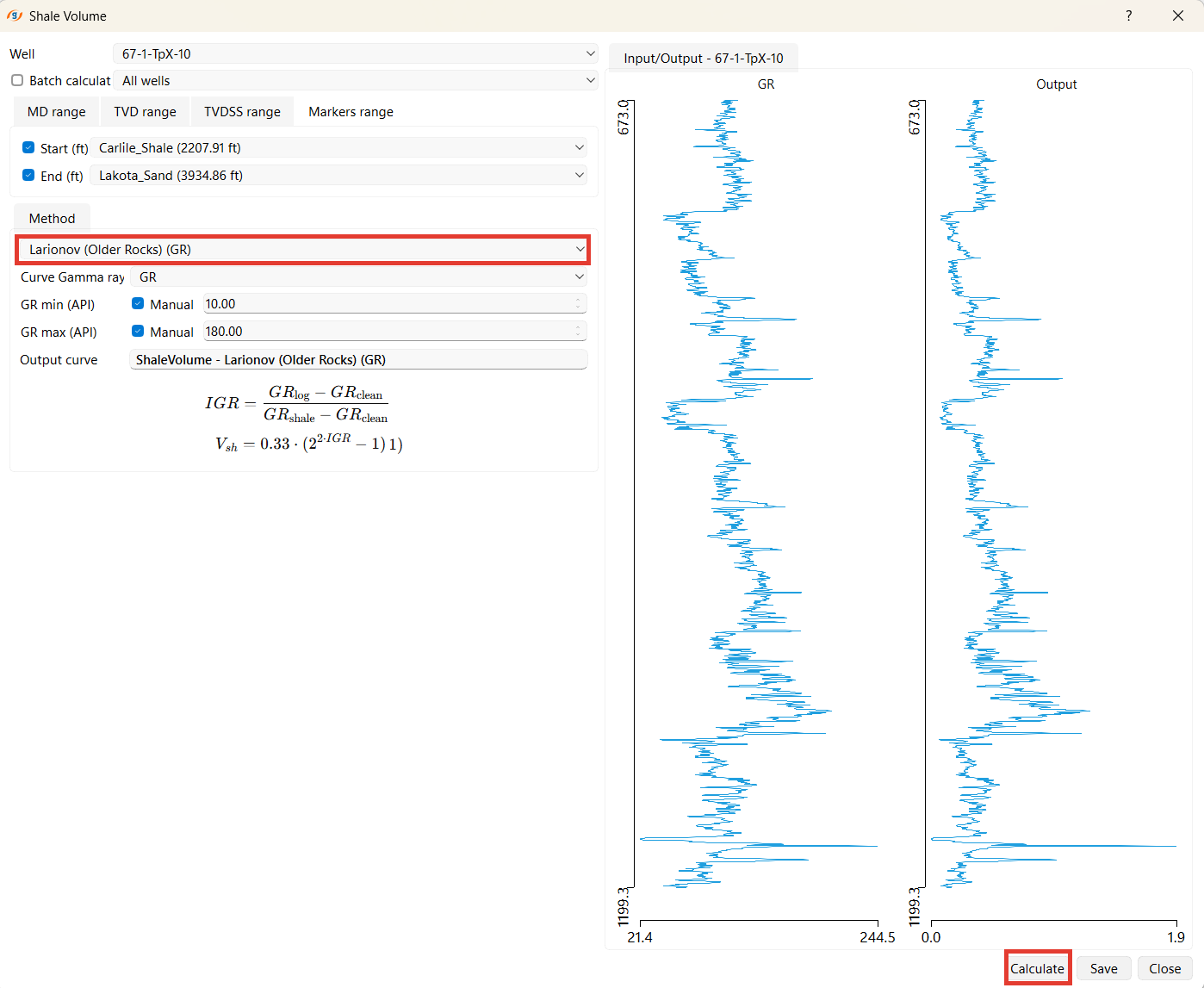
5. Larionov (Older Rocks) (GR)
Modified Larionov model for compacted and older formations (e.g., Paleozoic–Mesozoic).
Use:
- Suitable for consolidated rocks and older stratigraphic units.
- Provides more realistic shale values in deep formations.
6. SP Baseline Method (SP)
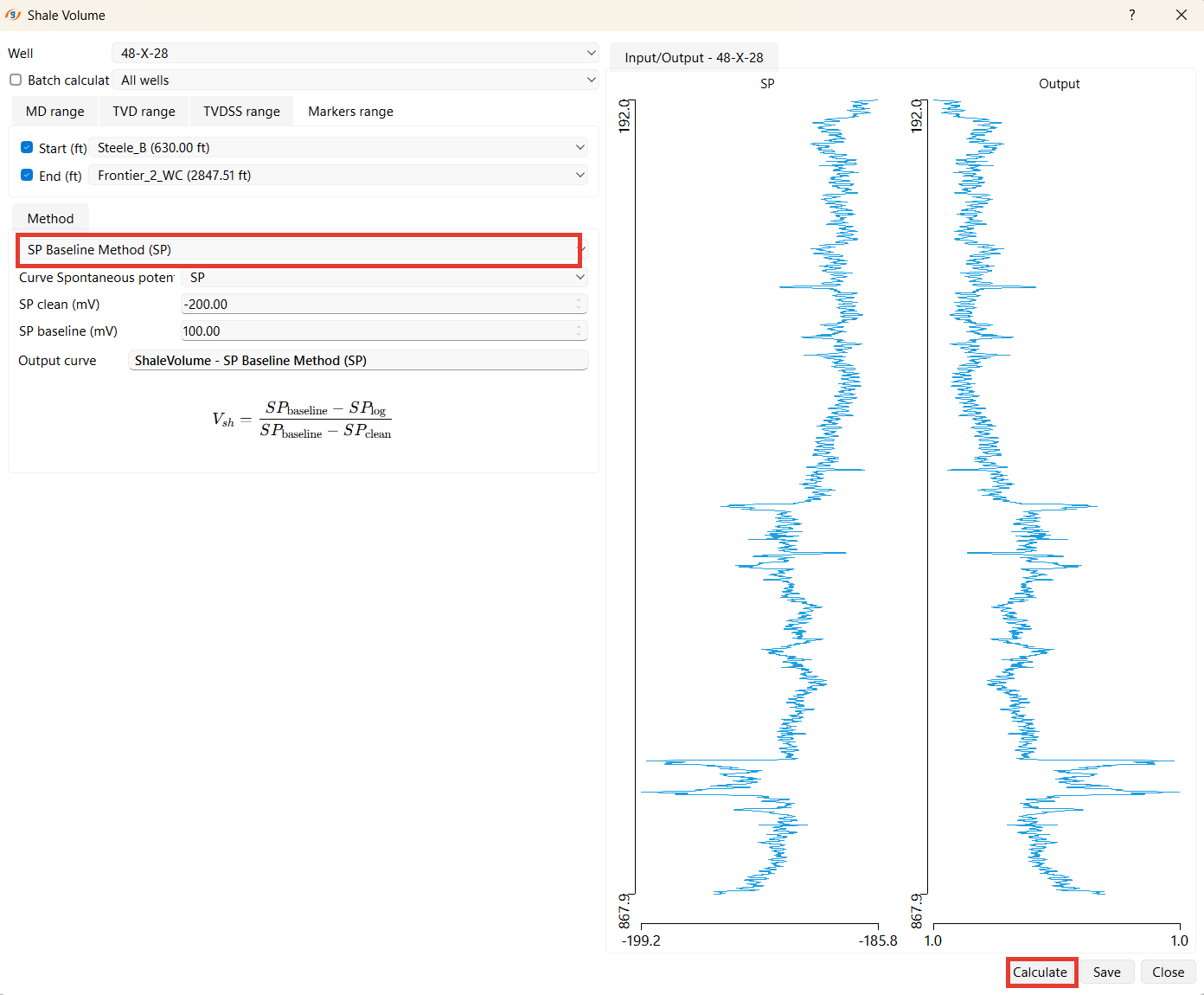
Uses Spontaneous Potential (SP) log instead of GR for shale estimation.
The method compares the measured SP curve with reference clean and shale baselines. SP clean and SP baseline are entered in mV.
Use:
- Useful when GR data is unavailable or unreliable.
- Common in older wells with limited logging suites.
7. Neutron–Density
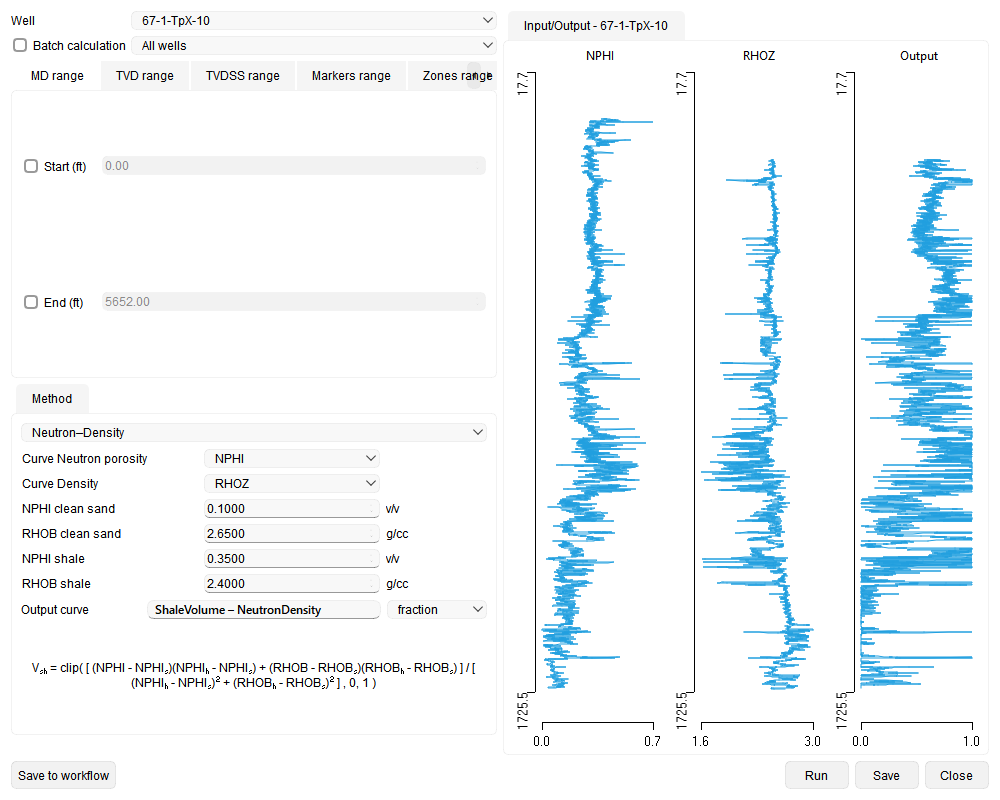
Estimates shale volume from the separation between the Neutron Porosity (NPHI) and Density (RHOB) logs, by projecting each sample onto the line joining the clean-sand and shale end points on the neutron–density cross-plot. The result is clipped to the range 0–1.
Input curves: Neutron Porosity and Density.
Parameters (editable):
- Clean sand: NPHI clean sand (default 0.10 v/v), RHOB clean sand (default 2.65 g/cc).
- Shale: NPHI shale (default 0.35 v/v), RHOB shale (default 2.40 g/cc).
Use:
- Reservoirs where GR is unreliable (e.g. radioactive or feldspathic/mica-rich sands).
- Cross-checking a GR- or SP-based shale volume against a porosity-log estimate.
The default output curve name is ShaleVolume – NeutronDensity.
Running and saving to Workflow
The wizard has a standard row of buttons along the bottom of the dialog:
- Save to workflow – adds the wizard, with all of its current settings (selected wells, input and output curves, method, method parameters, and output names), to the project Workflow as a task that can be re-run later.
- Run – executes the calculation with the current settings (this button replaces the former Calculate button).
- Save – stores the resulting curve in the well.
- Close – closes the wizard.
When a saved task is reopened from the Workflow panel, the wizard reopens with every stored setting restored, so it can be reviewed, edited, run, and saved back to the task. In this edit-from-workflow mode the bottom row shows Save and Cancel instead.