Almost all processing modules have a unique set of parameters. Some of these parameters are interactive, meaning that any change made in the Module Properties section is immediately reflected in the corresponding Vista View.
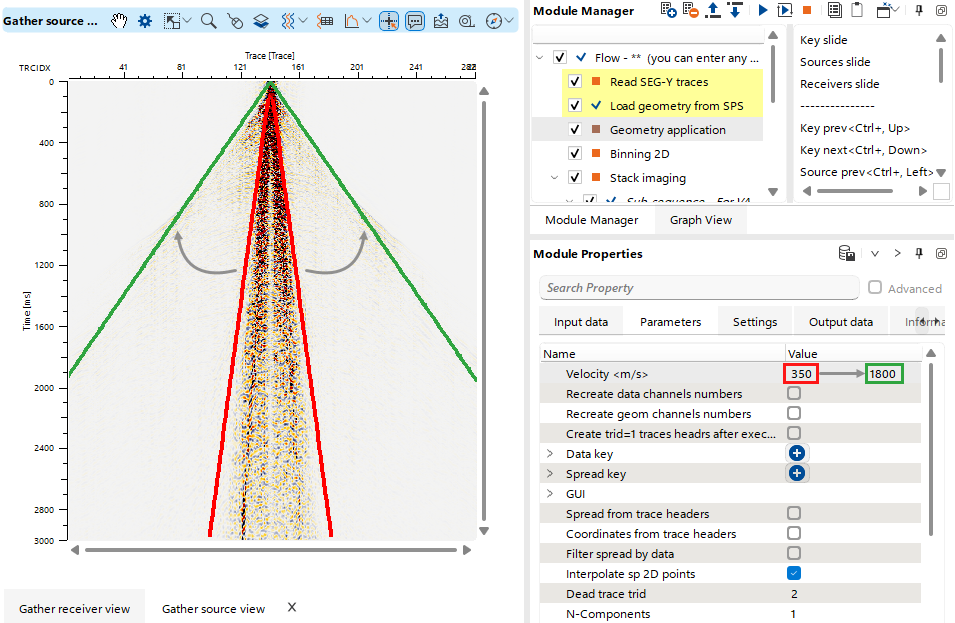 In this example, for the Geometry Application module, when the user changes the Velocity Value of Theoretical Direct Wave Hodograph from 350 to 1800 in the Parameters tab of the Module Properties section, the change is immediately reflected in the corresponding Vista View.
For parameters without predefined interactivity, the module must be executed from the Module Manager using a Shortcut Button  or by Double-Clicking the module in the Workflow Tree to display the results in the Vista View.