The View Overlay feature allows multiple Vistas to be displayed simultaneously within a single view for some additional or comparative analysis.
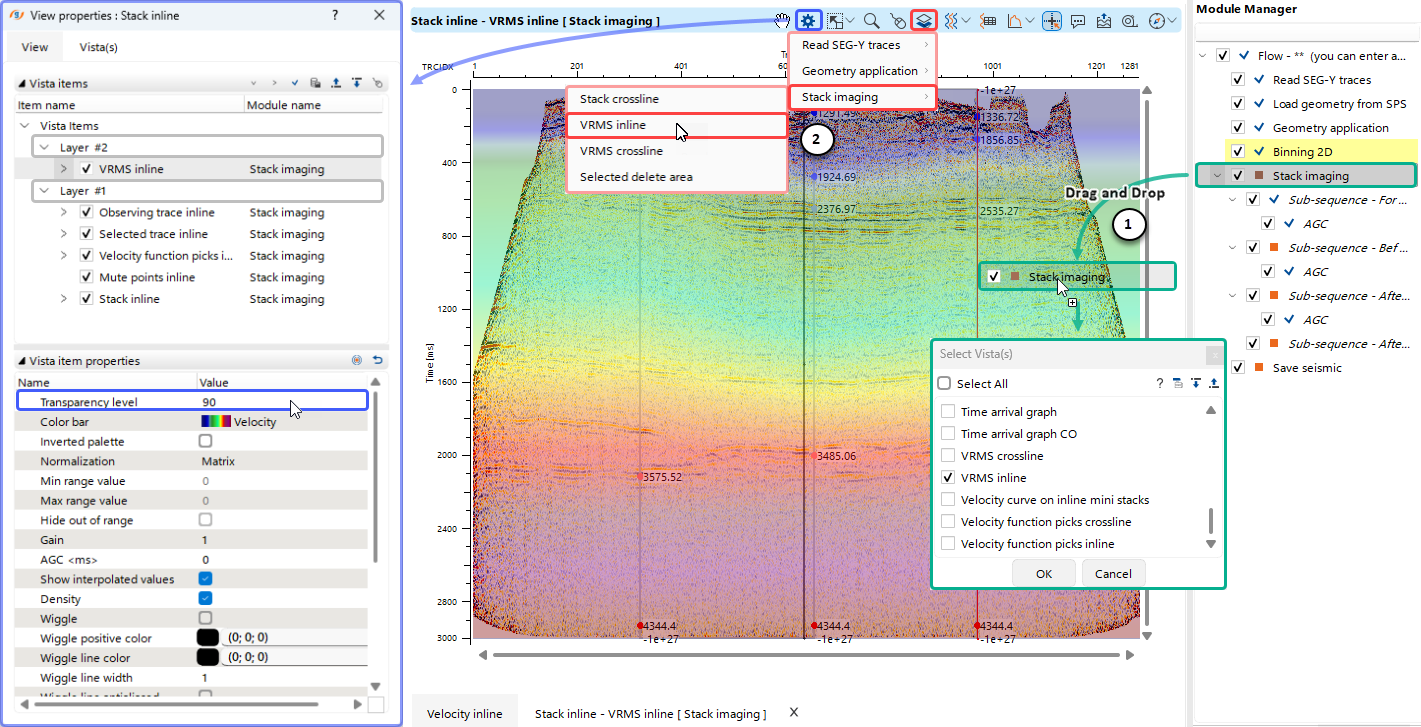 In this example, for the comprehensive Stack Imaging module — which includes an extensive set of velocity analysis and CMP stacking tools — the RMS velocity field is overlaid on the corresponding Stack Section.
This Overlay can be performed in two ways:
(1)Drag and Drop the module from the Module Manager section into the current Vista View, then select which Vista to add as a new layer.
(2)Use the Shortcut Button  and select the required Vista from the drop-down menu to add it as a new layer.
Afterward, open the View Properties  for the current Vista View and adjust the Transparency level of the top layer to visualize both overlaid views simultaneously.