Graphs
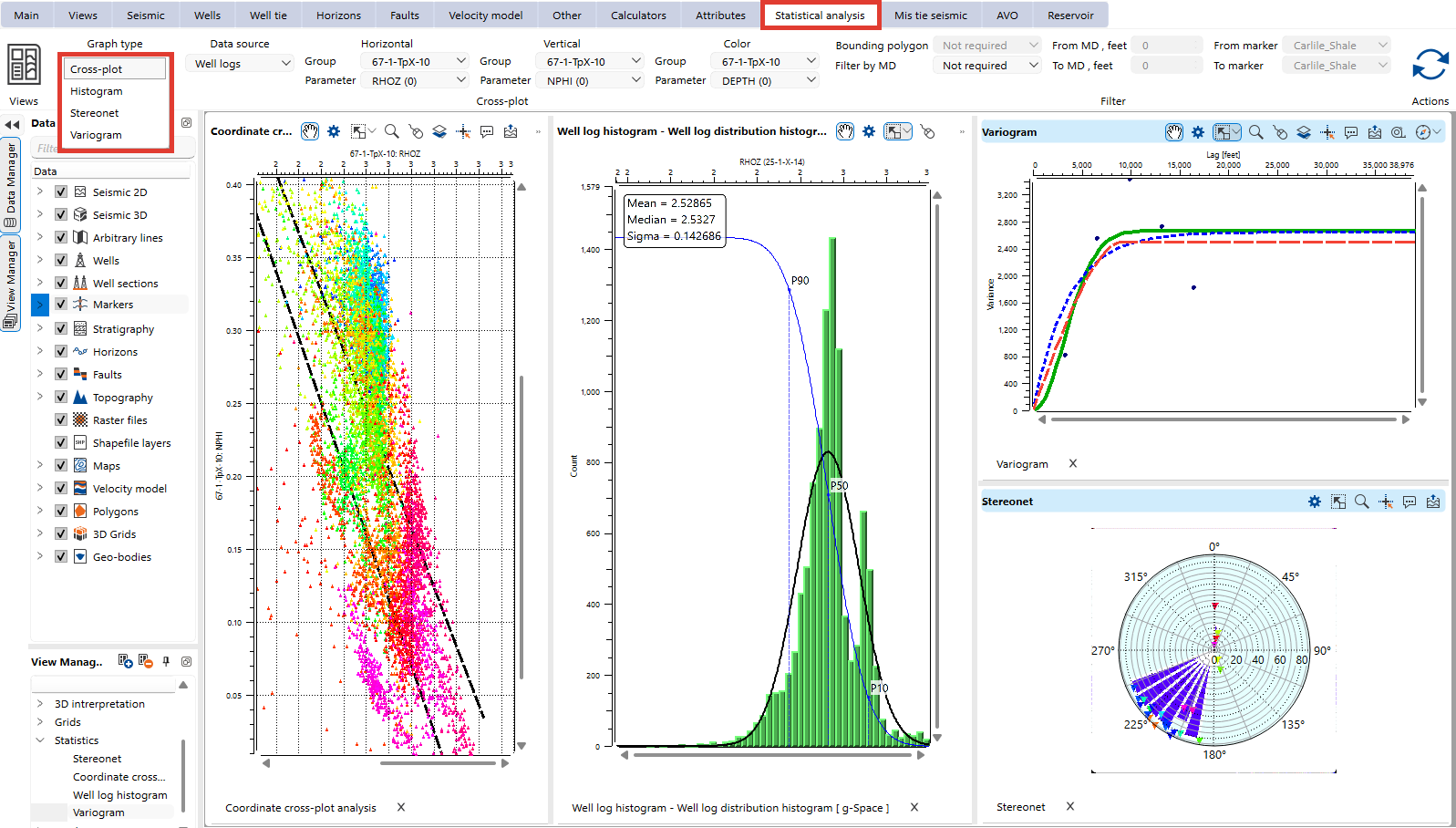
The Graphs section in the Views bar provides tools for visualizing and analyzing relationships within your data. It includes the following graph types:
- Cross-Plot: Visualize the relationship between two selected attributes plotted on the X and Y axes. This is particularly useful for identifying trends, correlations, and patterns in the data.
- Histogram: Display the frequency distribution of well log data. Use histograms to analyze data ranges, identify dominant values, and detect outliers in well attributes.
- Variogram: Visualizes spatial continuity by plotting semivariance against lag distance, aiding geostatistical analysis.
- Stereonet: Plot structural orientations, such as dip and azimuth, on a stereographic projection. Stereonets are especially valuable for analyzing geological structures, such as faults, bedding planes, and stress orientations.
- Mohr diagram: Plot the fracture planes of a well core table against a single stress state, which shows which of the planes are critically stressed.
- Pine graph: A quality-control tool for velocity models that plots the depth difference between well markers and the velocity-derived depth.
- Tornado: Show how much the result of a formula changes when each of its input parameters varies between a minimum and a maximum value, which identifies the parameters that influence the result most.
- Line chart: Draw the columns of a project table as curves, with one column giving the horizontal values and every other numeric column drawn as a curve of its own.

Configure the graph settings, such as data source, parameters, and filtering options in the Statistical analysis bar.