Export data
g-Viewer currently supports exporting data in SEG-Y format only.
This industry-standard format ensures compatibility with a wide range of geophysical software applications.
Exporting your data to SEG-Y allows for easy sharing and analysis across different platforms.
The process is straightforward and preserves the integrity of your seismic data.
For detailed instructions on how to export your data, please refer to the Save Seg-Y file subchapter.
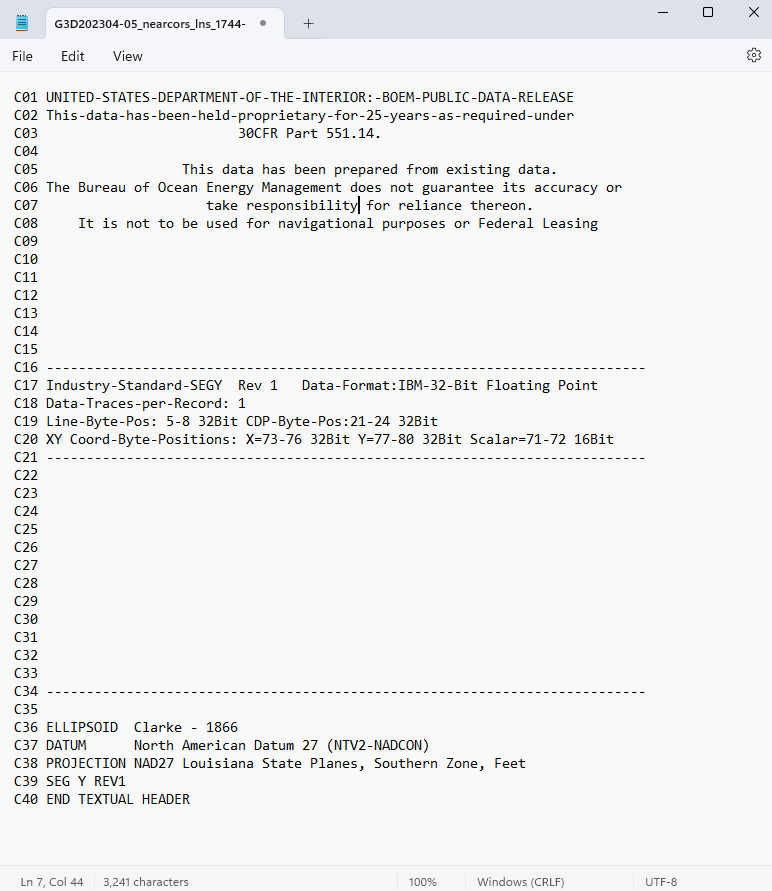
Text Header Export: g-Viewer allows exporting the text header information to a *TXT file.
Navigate to the Tools bar and click Save text header

A pop-up window will appear, prompting you to specify the directory where the TXT file should be saved.
Enjoy your data in text format.
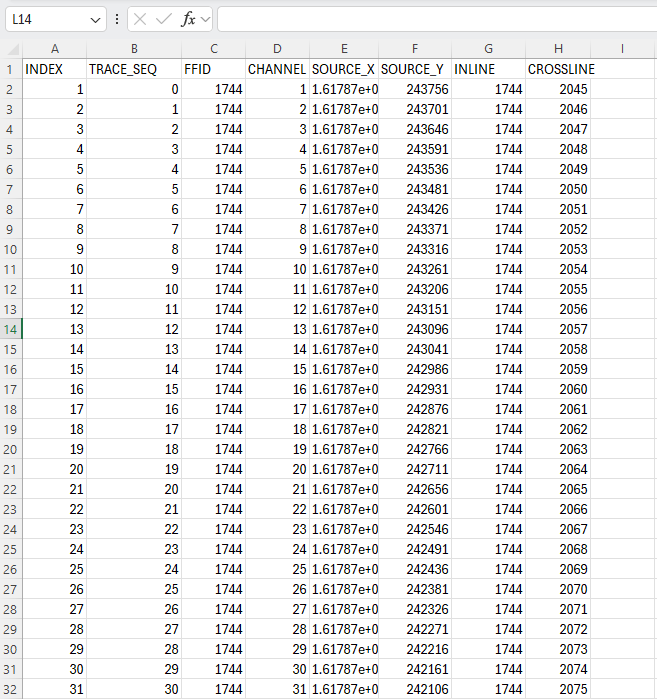
Trace Header Export: Users can save trace headers as an Excel file. This option includes the ability to select specific trace headers for export, allowing for customized data extraction.
Navigate to the Tools bar and click on the Save trace headers button.

A pop-up window will appear, prompting you to specify the directory where the Excel file will be saved.
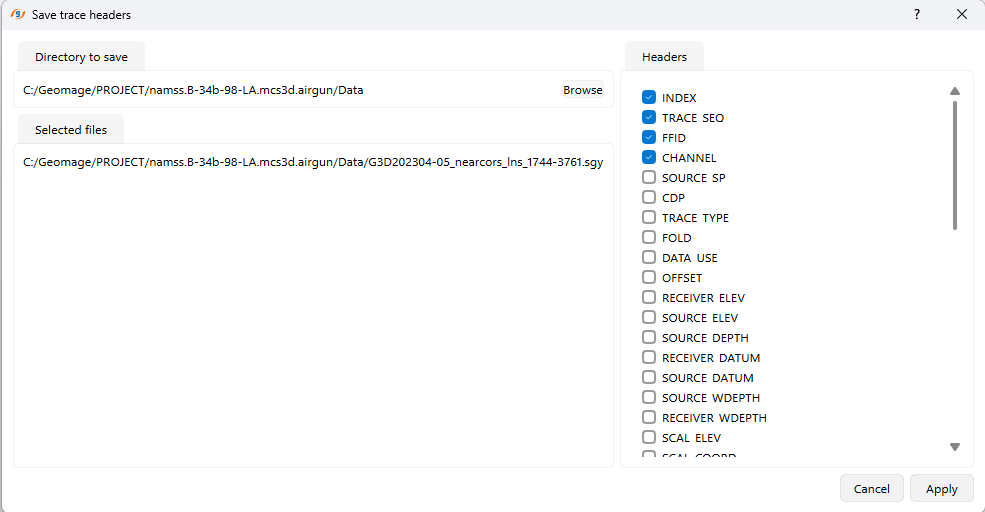
After selecting your desired headers and specifying the save directory, click Apply to confirm.
The selected trace headers will be exported to an Excel file in the specified directory.