Save Seg-Y file
To save a SEG-Y file in the g-Viewer follow these steps:
Navigate to the Tools bar and click Save Seg-Y button.

Save Seg-Y parameters wizard will appear
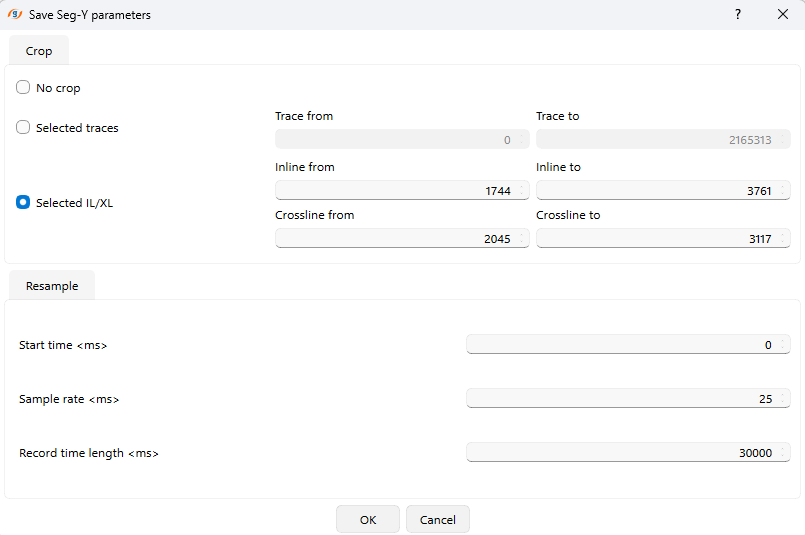
Define Cropping Parameters
In the "Crop" section of the wizard:
- No Crop: Select this option if you want to save all traces without any restrictions.
- Selected Traces: If specific traces are required, define the trace range by entering values for "Trace from" and "Trace to."
- Selected Inline/Crossline (IL/XL): Use this option to save data for specific inline and crossline ranges. Enter the desired values for:
Set Resampling Parameters
In the "Resample" section:
- Specify the Start time (ms) for the seismic data.
- Define the Sample rate (ms), which determines the time interval between consecutive data points.
- Set the Record time length (ms), which indicates the total duration of each trace.
Save the File
Once all parameters are configured:
- Click OK in the wizard to proceed.
- A file-saving dialog box will appear. Enter a name for your file.
- Choose a location on your system where you want to save the file, then click Save.