Header histogram view
Header histograms are used to evaluate and validate trace header fields.
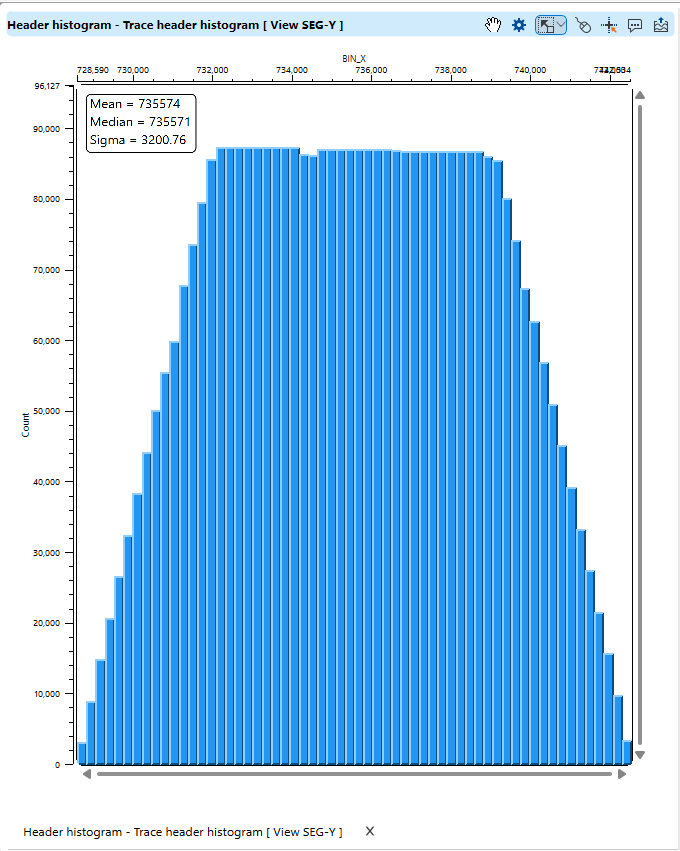
Users can identify potential issues such as missing data, outliers, or irregularities in binning.
It aids in ensuring proper alignment and consistency of seismic traces before further processing steps like stacking or migration.
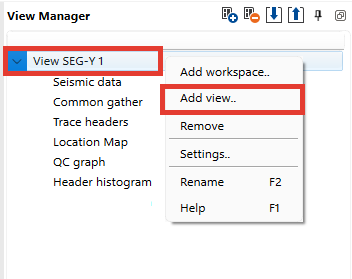
To open this view navigate to the View Manager Panel, right-click within it, and select Add View.
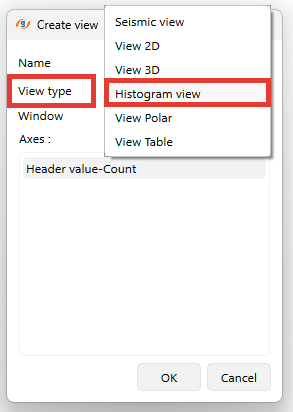
A pop-up window appear, specify a View type and click OK
This histogram serves as a diagnostic tool for quality control and data exploration within seismic datasets.
Functional panel allows user to perform the following actions:
 open View properties panel
 adjust view area to all visible objects
 adjust horizontal scale
 adjust vertical scale
 set control item
 enable mouse tracker
 enable tool tip
 export picture