Panels
In this chapter you will get the general introduction to panels in g-Viewer
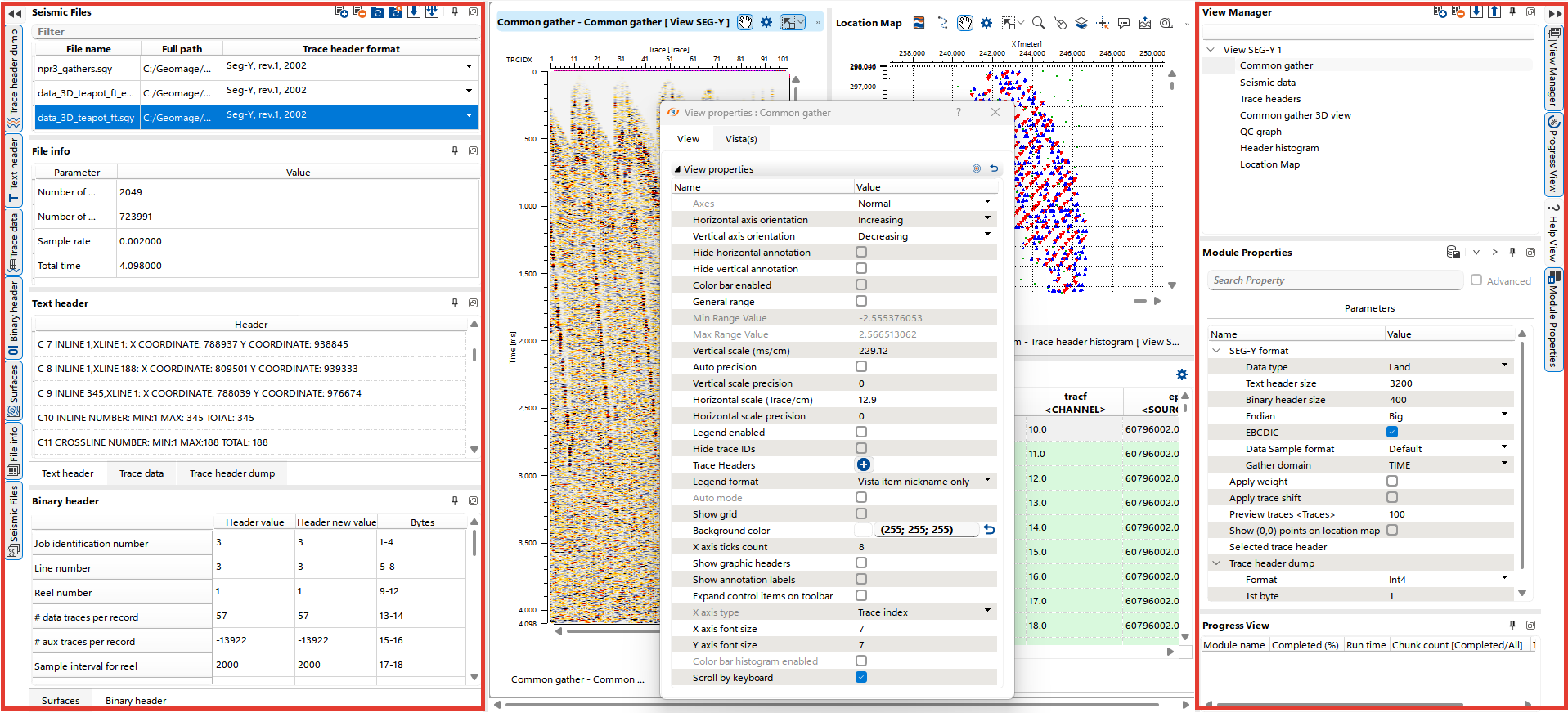
Panels are positioned along the left and right edges of the g-Viewer interface and are grouped into panel sets.
By default:
- Left side: Contains the Seg-Y files, Seg-D files, LAS files, File Info, Trace Data, Text Header, Trace Header Dump, Surfaces, and Binary Header panels.
- Right side: Hosts the View Manager, Module Properties, and Progress View panels.
Additionally, there is a dynamic panel, called View properties, which can be moved and docked anywhere in the interface according to user preference.
Panels of each mode
Not all panels are shown at the same time. The files panels and File info are always shown; Trace data, Text header, Binary header and Surfaces belong to the Seg-Y mode; Trace header dump to the Seg-Y and Seg-D modes; LAS header and LAS curves to the LAS mode. See Workspace modes.