Seg-D QC views
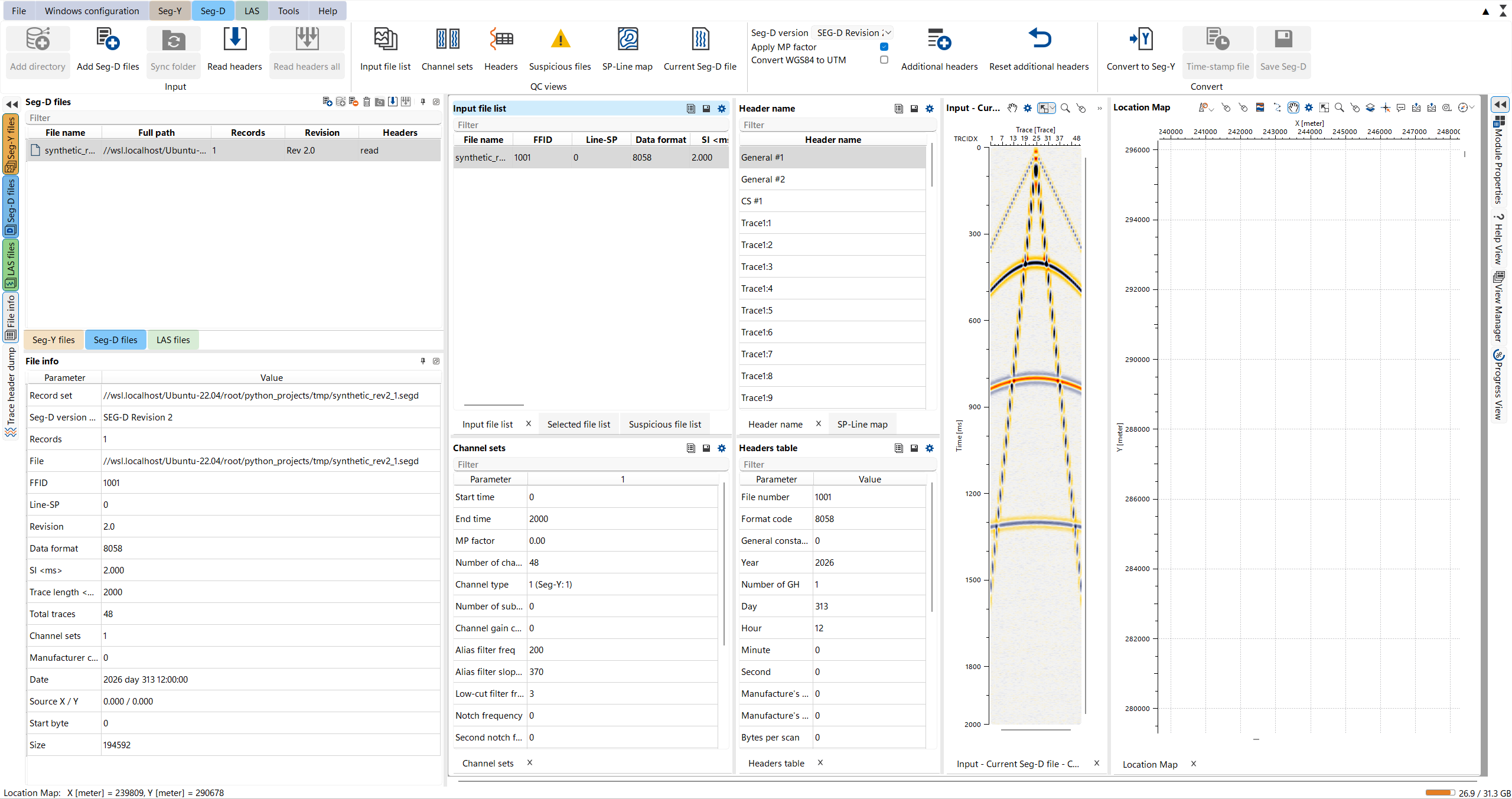
The Seg-D workspace window holds the views for checking SEG-D records before conversion. They show the current record set of the Seg-D files panel and are filled after Read headers. The QC views group of the Seg-D tab brings each view to the front.
Views
- Input file list - all records of the record set. Click a row to select the record.
- Selected file list - the selected records.
- Suspicious file list - records with bad or corrupted headers. Right-click a row and choose Exclude to skip the record in Convert to Seg-Y, Time-stamp file and Save Seg-D, or Include to use it again.
- SP-Line map - the current and all sources and receivers on shot point / line axes.
- Channel sets - the channel sets of the current record and their parameters.
- Header name and Headers table - pick a header (General #1, extended, trace headers, and so on) in Header name to see its values in the Headers table.
- Input - Current Seg-D file - a seismic view of the current record, channel sets in order.
- Location Map - the positions of the record set, when the headers carry coordinates.
See Also