Creating a new project
To create new project follow next steps:
When g-Space starts it already contains an empty project. A new empty project can also be started at any time from the Menu bar with File > Create new project. All data containers (the categories shown in the Data Manager) are created automatically – the new project then only needs to be saved and configured.
Step 1 Open g-Space
Step 2 In Menu bar click - File and then Save project or
in Ribbon bar press Save or just press Ctrl+S shortcut
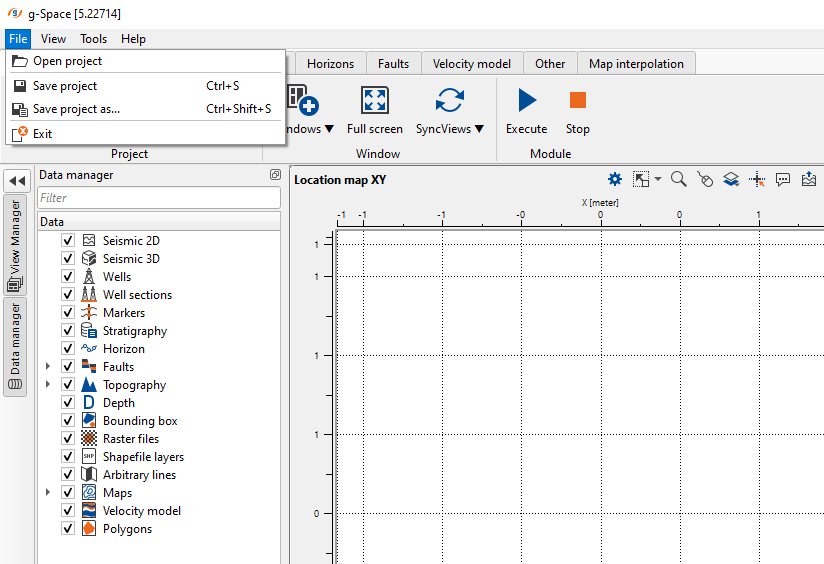
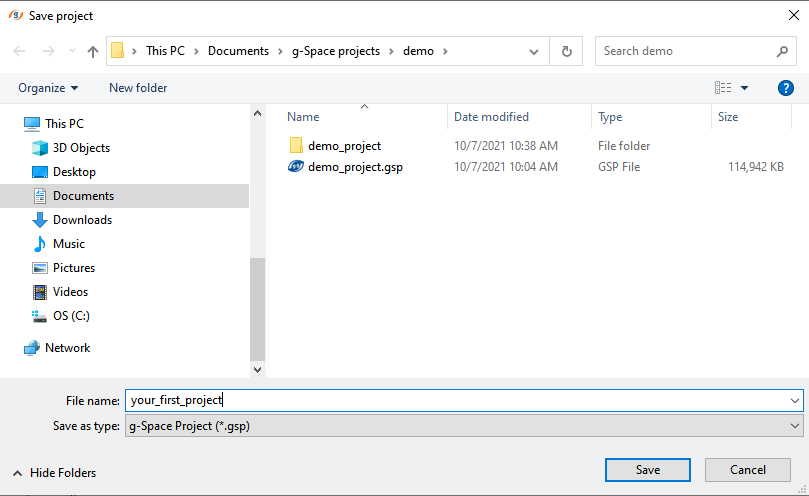
Step 3 In the appeared window Save project set the destination of the file directory and click Save button.
Step 4 Define the project coordinate system and measurement units in the Configuration dialog (Main bar > Configuration). See Coordinate and measurement system.