Import markers structure
Sometimes you need to organize you markers with different levels of hierarchy. In g-Space it is possible using marker groups:
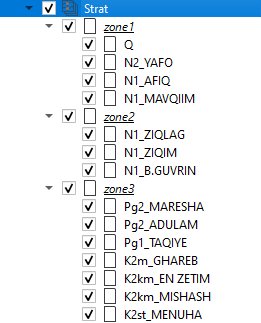
To import markers structure press Right Click Mouse on Markers set icon in Data Manager and choose Import markers struct:
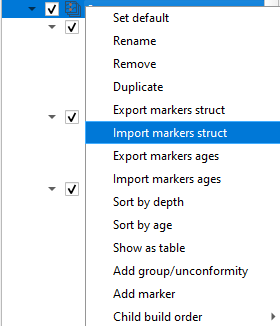
Locate the file with markers structure and it will apply automatically.
The markers structure is a g-Space binary Marker set struct file with the *.msstruct extension. It is created by g-Space when you choose Export markers struct on the same menu and stores the complete marker hierarchy.
The hierarchy can also be built and edited manually in the Data Manager without importing a file: right-click the markers to create groups and drag the markers into them.
Tip
The hierarchy is preserved across export and re-import, so use consistent marker naming to keep the structure aligned between projects.
For more information about markers structure format please refer to Well Data Formats