Saving the project
If you want to save changes to the existing project, use option 1.
If you prefer not to overwrite the current project and want to save it as a new file instead, use option 2.
Option 1.
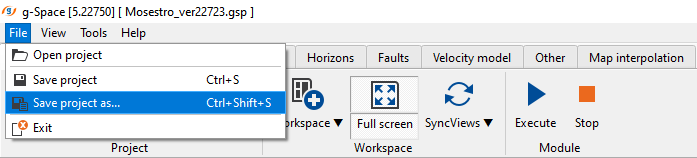
In Menu bar click File and then Save project or
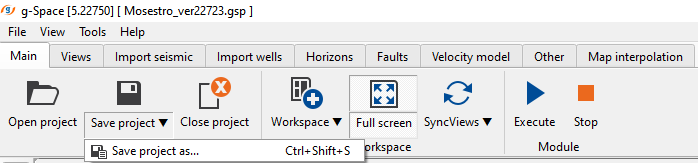
in Ribbon bar press Save or just press Ctrl+S shortcut
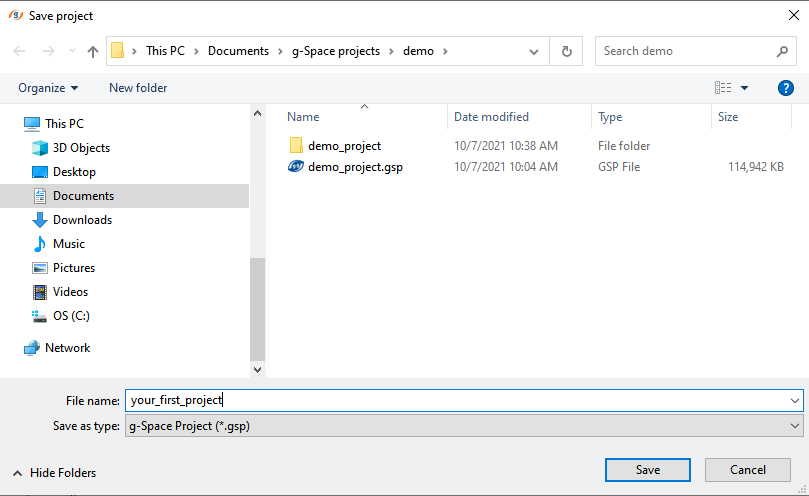
Option 2.
In Menu bar click File and then Save project as... or just press Shift+Ctrl+S shortcut
or in Ribbon bar press on the arrow on the right bottom corner of the button Save or just press Shift+Ctrl+S shortcut
Depending on project size it may take from few seconds to few minutes to save the project.
Save project stores all the project configuration, data and views. Seismic data is referenced by file path and is not copied into the project. Save project as creates a copy of the project at a new location.