Seismic 2D
Seismic 2D - contains any type of 2D seismic data such as post-stack, pre-stack, velocity, attributes etc.
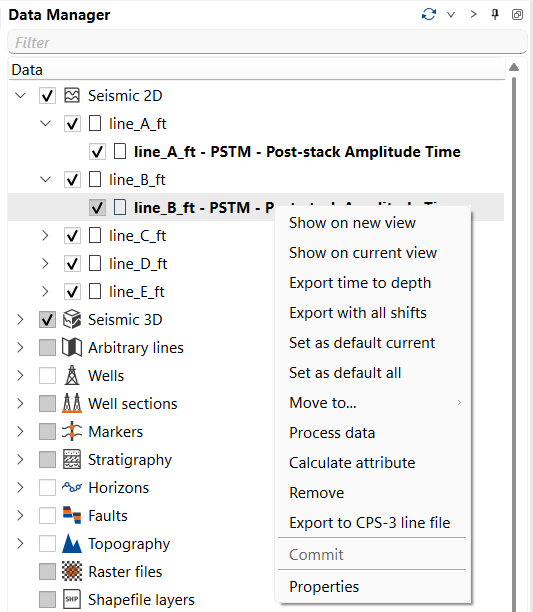
Right mouse button on the icon allows to:
- Add new line
- Convert ASCII data to line
- Clear lines
- Export all lines to CPS-3 line file
- Export all time lines to depth
- Export all time lines with shifts
- Export all active time lines with shifts
- Link missing seismic
- Sort by name
- Add folder
- Receive lines
- Commit lines
Choose Add new line under Seismic 2D to load a SEG-Y line. In the Add seismic files dialog, select a named Header format. During loading, g-Space uses the detected geometry bytes and reuses a saved trace-header format when its header rows match, even if their order differs. If no saved format matches, g-Space adds a new format and reuses it when you load the same file again. See Import Seismic for checking and editing trace-header bytes.
Seismic data is referenced by its file path, so if the seismic files or the project itself have been moved, g-Space can no longer find the files that were loaded before. Lines whose files are not found are kept in the project when it opens, and you can restore their locations at any time: right-click Seismic 2D and select Link missing seismic. In the Select folder to search for missing seismic files dialog, choose the folder that now holds the files. Include subfolders is cleared by default, so only the selected folder is searched; select it to search the whole folder tree below it as well.
g-Space looks only for the seismic files that are currently missing and matches them by file name, so seismic that is still linked correctly is not changed. Every file that is found is relinked to its new location and can be used again, and a message reports how many missing files were found, how many were relinked and how many are still missing. The same action is available on Seismic 3D, and one run relinks 2D lines, 3D volumes and pre-stack gathers.