Remote database
g-Space allows you to work with a remote database and offers a variety of tools for multi-user mode.
To set up a connection with the remote database, select "Set connection" in the main toolbar:

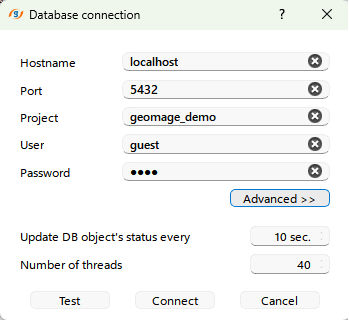
In the Connect to g-Space database window, enter the connection settings and click the "Connect" button:
More information about working in multi-user mode you can find here: Multi-user mode.