Concatenate gathers
Theory
Concatenate Gathers merges two or more seismic gathers end-to-end into a single output gather. Traces from the second and subsequent input gathers are appended to the trace list of the first gather, preserving all header values and sample data. The module supports an arbitrary number of input gathers, added one at a time using the plus button in the interface.
This module is commonly used to combine gathers from split acquisition segments, to join datasets processed along different branches of a workflow, or to reassemble records that were split for parallel processing. All input gathers must have the same number of time samples unless the Auto Resample option is enabled.
Input data
Gathers
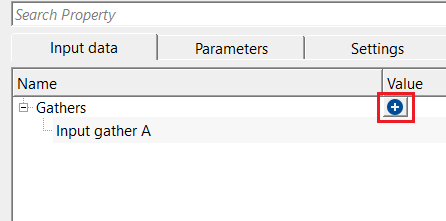
this section deals with input gathers. There can be many input gathers. To add multiple input gathers to concatenate, the user should click on  icon.
icon.
The Gathers collection holds all input gathers to be merged. Click the plus icon to add a new input gather slot. Each slot is automatically labelled Input gather A, Input gather B, Input gather C, and so on. Connect each slot to the output gather of the corresponding upstream module in the workflow. At least one input gather must be connected before the module can execute.
Input gather A
this is the 1st input gather. Connect/reference to the output gather of the corresponding module.
Input gather A is the primary (first) gather in the concatenation sequence. Its sampling interval and record length serve as the reference when Auto Resample is enabled — all other gathers will be resampled to match this gather. Connect this slot to the output gather of the first upstream module whose traces should appear at the beginning of the merged result.
Parameters
Auto resample according to first gather in list
this option automatically resamples in the other input gathers based on the first gather (Input gather A). By default, FALSE (Unchecked).
When this option is unchecked (default), all input gathers must have exactly the same number of time samples. If any gather has a different sample count, execution will stop with an error. Enable this option when the input gathers have different record lengths or sampling intervals — the module will automatically resample gathers B, C, D, etc. to match the sample count of Input gather A before merging. Use this option with care, as resampling may affect the frequency content of the resampled gathers.
Rebuild record indexes - By default, TRUE (Checked). Recalculates trace and record indices after concatenation to ensure continuous and unique indexing.
When checked (default), the module renumbers all trace and record indices sequentially across the merged gather after concatenation. This ensures downstream modules that rely on trace numbering receive a consistent, gap-free index sequence. Uncheck this option only if you intentionally want to preserve the original index values from each input gather — for example, when the original indices carry specific header information that must be retained for subsequent header-based operations.
Settings
Number of threads
One less than total no of nodes/threads to execute a job in multi-thread mode. Limit number of threads on main machine.
Sets the number of CPU threads used during the merge operation. Increasing this value can reduce processing time on machines with multiple processor cores. Set to 1 for sequential (single-threaded) execution, which may be preferable when troubleshooting or when other processes are competing for CPU resources.
Skip
By default, FALSE(Unchecked). This option helps to bypass the module from the workflow.
When checked, the Concatenate Gathers module is bypassed entirely and passes through the first input gather unchanged. Use this to temporarily disable the concatenation step without removing the module from the workflow, for example when testing the effect of concatenation on downstream results.
Output data
Output gather
outputs the concatenated/combined gather.
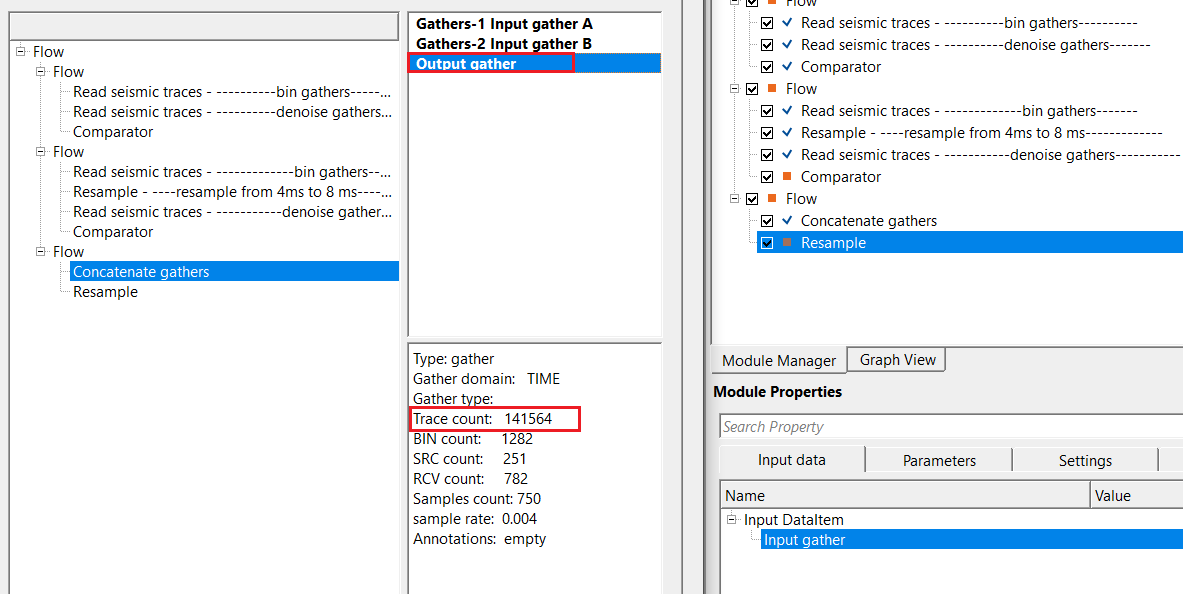
The output gather contains all traces from all input gathers merged in order: traces from Input gather A appear first, followed by traces from Input gather B, then C, and so on. If Rebuild record indexes is enabled, the trace and record indices are renumbered sequentially across the full merged gather. Connect this output to the input of the next module in the processing workflow.
Information
In this example workflow, multiple gathers are concatenated into a single output gather. The workflow demonstrates connecting two or more upstream gather sources to the Concatenate Gathers module and verifying the merged result using a downstream visualization step.
Examples
In this example workflow, we are concatenating/adding multiple gathers to make it a single output gather.
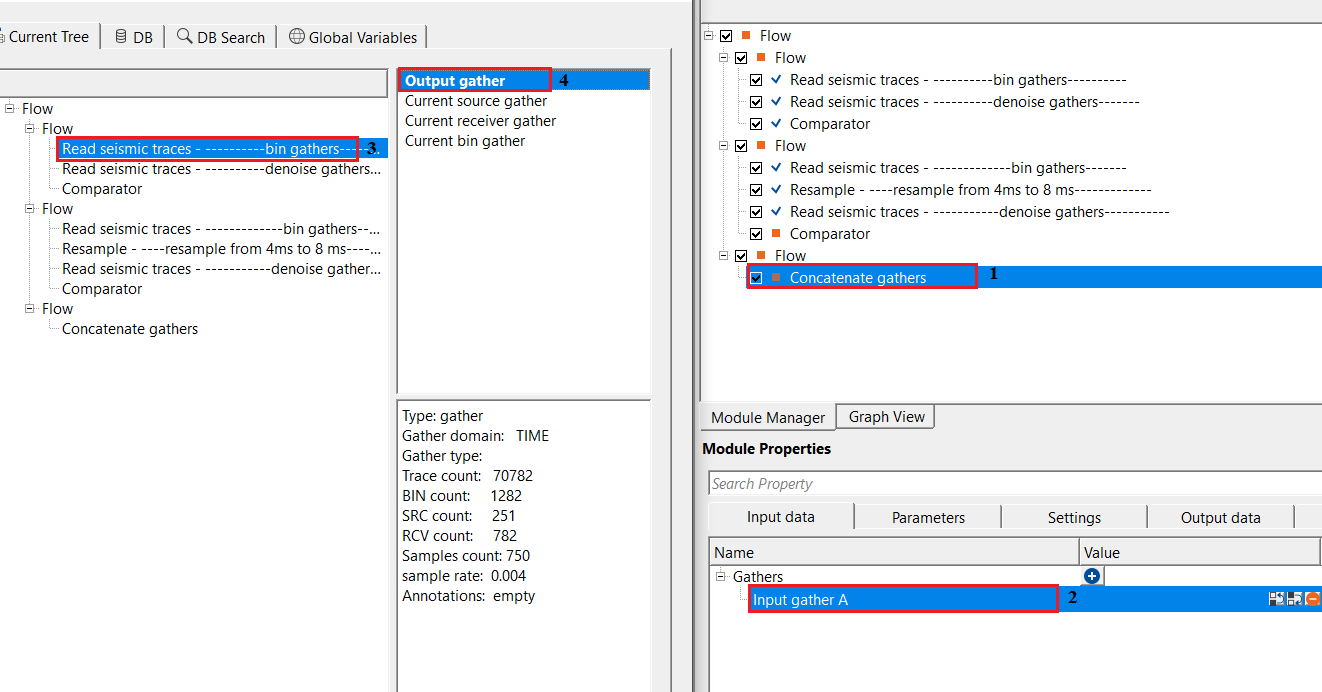
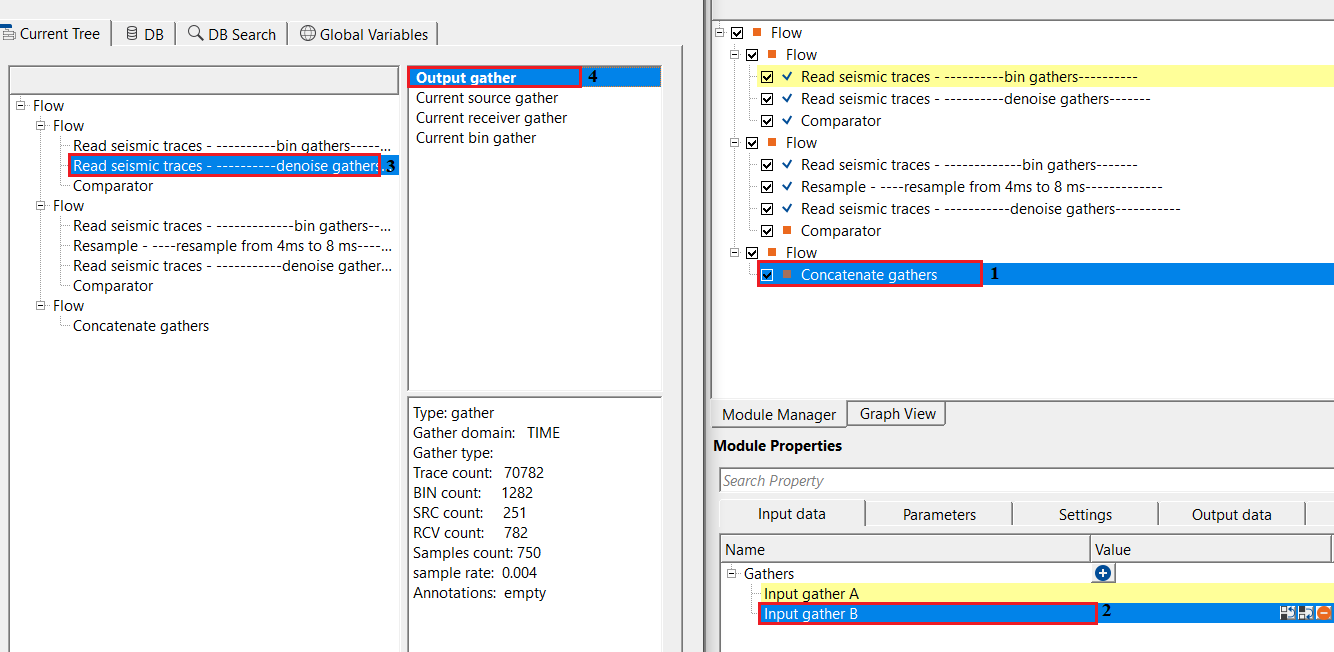
Likewise, the user can add as many input gathers as they want. After making the necessary connections/references, execute the module. It will not produce any Vista items as a visualization QC items however it produces an output gather which can be used for further processing.
Actions
There are no action items available for this module.
Video lesson
YouTube video lesson, click here to open [VIDEO IN PROCESS...]
Related articles
Yilmaz. O., 1987, Seismic data processing: Society of Exploration Geophysicist
 * * * If you have any questions, please send an e-mail to: support@geomage.com * * *
