Export gather/matrix to ASCII file
This module exports seismic data to a plain-text (ASCII) file in tab-delimited column format. It supports two input data types: a seismic gather (trace amplitudes with time axis) and an interpolation matrix (spatially gridded attribute values). The output file can be opened directly in any text editor or spreadsheet application such as Microsoft Excel for further analysis or quality control.
Use this module whenever you need to extract seismic amplitude values or header-derived attributes from the g-Platform environment into a universally readable format. Common applications include exporting amplitude versus time for a single CMP gather, writing source-receiver coordinate tables, or archiving gridded velocity or attribute maps derived from an interpolation matrix.
Exporting trace headers/samples
Theory
Module performs printing of input user-defined trace headers and samples and then writes it to output column split text file (ASCII). Output data optionally can be time/trace decimated.
Input data
Input data type { Gather, Matrix }
choose the input data type from the drop down menu.
Select Gather to export trace amplitudes from a seismic gather. The output file will contain three tab-separated columns: shot-point (SP) number, time in seconds, and amplitude value. Select Matrix to export values from an interpolation matrix (for example, a velocity map or coordinate attribute). The output file will contain three tab-separated columns: X coordinate, Y coordinate, and grid value. The choice of input type controls which input connector and which parameters are visible in the interface.
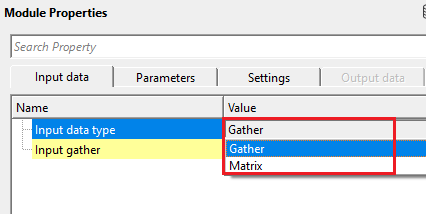
Input data type - Gather
Selected input data type as Gather
Input gather
connect/reference to the Output gather
Connect this input to the output gather of any upstream module, such as the Output gather of a Read seismic traces module. The gather must be loaded into memory (ensure "Load data to RAM" is set to YES in the reader) so that trace amplitudes are available. Only visible when Input data type is set to Gather. For each selected trace, the module reads the shot-point (SP) number from the trace header and writes amplitude values at each time sample to the output file.
Input data type - Matrix
Selected input data type as Matrix
Input Matrix
connect/reference to interpolated matrix
Connect this input to the output matrix of a Create interpolation matrix module. The matrix holds a 2D grid of values (such as source X/Y/Z coordinates, velocities, or any other spatially interpolated attribute). Only visible when Input data type is set to Matrix. For each grid node, the module writes its X coordinate, Y coordinate, and stored value to the output file. This mode is particularly useful for exporting coordinate or attribute tables derived from trace header data.
Parameters
Output file - full path and output ASCII file name
Specify the full path and file name for the output ASCII text file (extension .txt). The file is written in plain text with tab-separated columns and can be opened in any text editor or imported directly into spreadsheet or data analysis software. If the file already exists it will be overwritten. This parameter is always visible regardless of the chosen input data type.
Trace step
decimation traces for output ASCII file
Controls how many traces are skipped between consecutive rows written to the output file (Gather mode only). Default value is 1, meaning every trace is exported. Set to 2 to export every second trace, set to 5 to export every fifth trace, and so on. Use larger values to reduce the output file size when working with large gathers. The minimum effective value is 1 (no skipping). Only visible when Input data type is set to Gather.
Time step
decimation samples for output ASCII file
Controls the time-sample decimation interval for the output file (Gather mode only). The value is specified in milliseconds and is divided internally by the gather's sample interval to determine how many samples are skipped between each output row. Default value is 2 ms. For example, if the gather sample interval is 2 ms, a Time step of 2 ms exports every sample; a value of 4 ms exports every second sample. Use larger values to reduce the file size when working with long or high-sample-rate records. Only visible when Input data type is set to Gather.
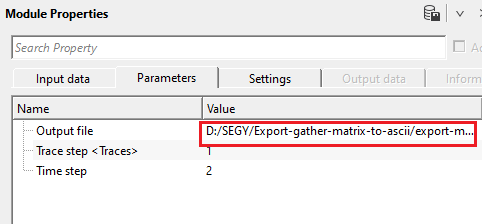
Output file
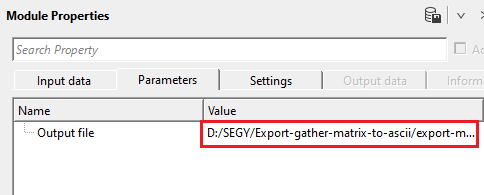
full path and output ASCII file name in case the Input data type is Matrix.
When the input data type is Matrix, specify the full path and file name for the output ASCII text file (.txt). The output will contain three tab-separated columns: X coordinate, Y coordinate, and matrix value for each grid node. This file can be opened in a text editor or imported into third-party mapping or geostatistics software.
Settings
Skip
By default, FALSE(Unchecked). This option helps to bypass the module from the workflow.
When checked, the module is bypassed entirely and no output file is written. Use this to temporarily disable the export step without removing the module from the workflow. Default is unchecked (the module executes normally).
Output data
There won't be any output data vista items from this module. The final output should be mentioned in the Parameters tab as an output file name.
Information
This module does not produce any output data connectors. All results are written directly to the ASCII text file specified in the Output file parameter. There are no downstream data items to connect to other modules. The output file path must be defined in the Parameters tab before execution.
Examples
In this example workflow, we are showing both the input data types i.e., gather & matrix.
Input data type as : Gather
We are reading a seismic gather and connect/reference the gather as an Input. Make sure that the Load data to RAM as YES in the Read seismic traces. Define the parameters like time step and trace step.
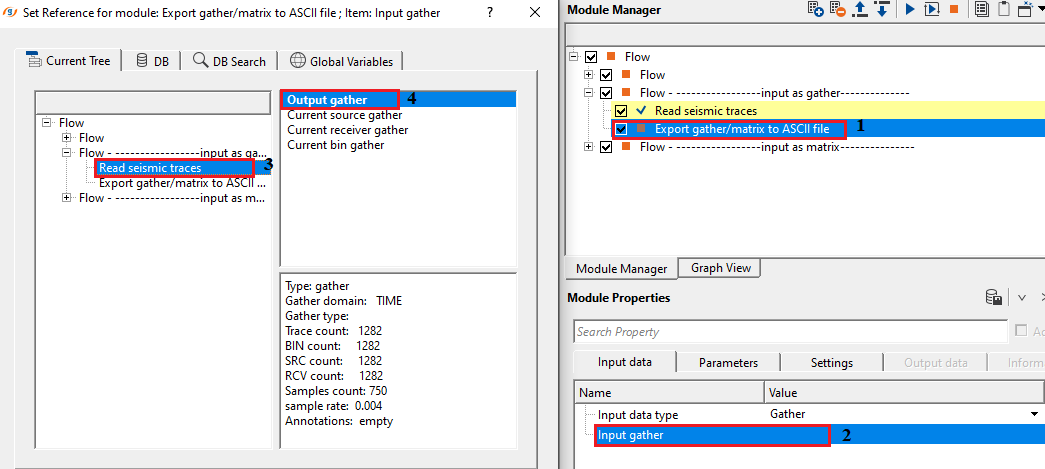
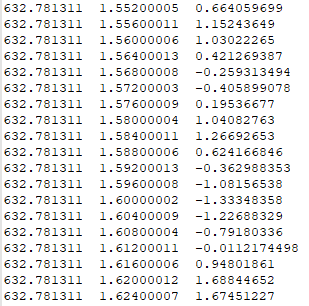
Provide the Output file name in the Parameters section as well as the time and trace step. Execute the module. Check the Output ASCII file. It will be something like this. In the image below, it is displaying Trace, Time and amplitude values.
Input data type as : Matrix
Similarly, the user can extract any other information from the matrix.
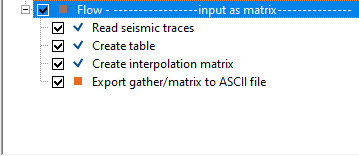
To obtain the matrix information, the user must create a Table if the input data doesn't have the tabular information, followed by creating the interpolation matrix.
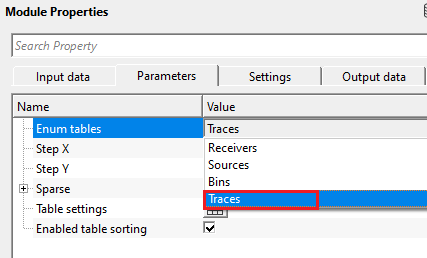
Here, we've selected Traces. The user can select Source/Receivers/Bins from the drop menu to get the information for specific gather.
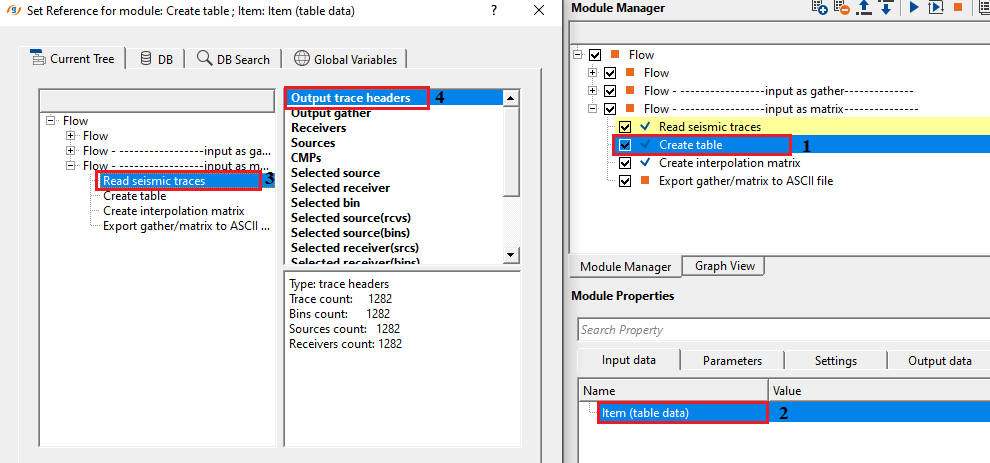
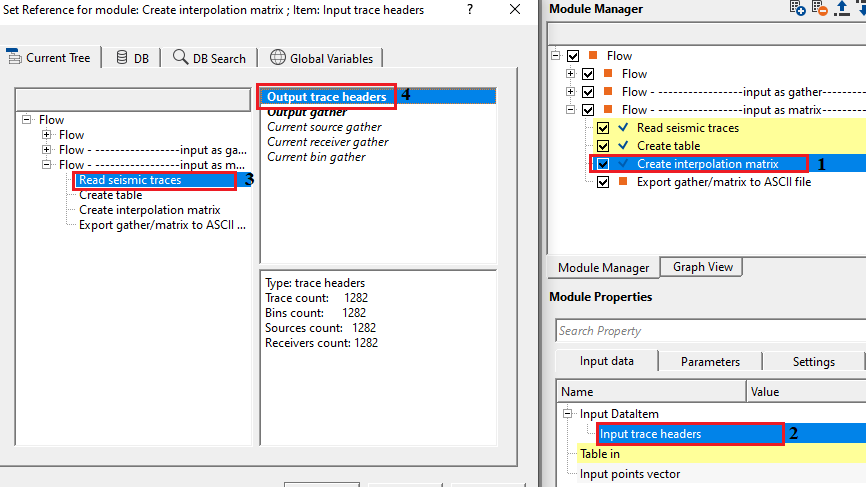
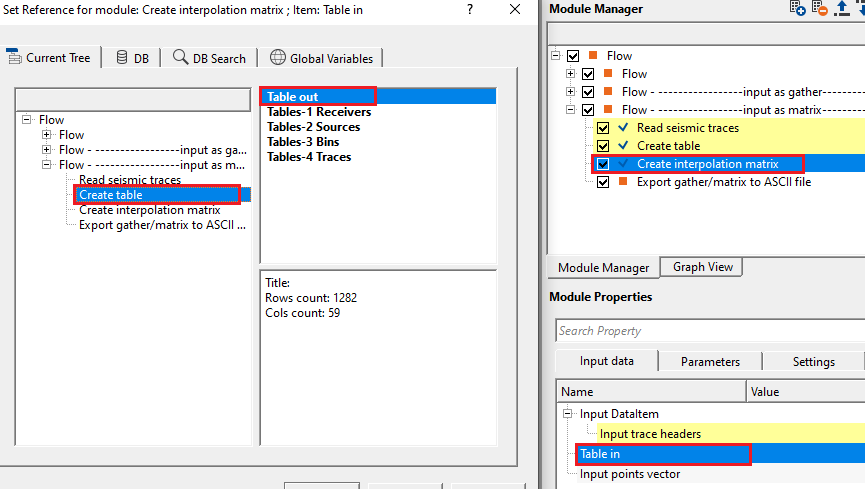
In create interpolation matrix, we connect/reference the Input trace headers & Table to the respective modules i.e., Output traces headers of Read seismic traces & Table out from Create table module.
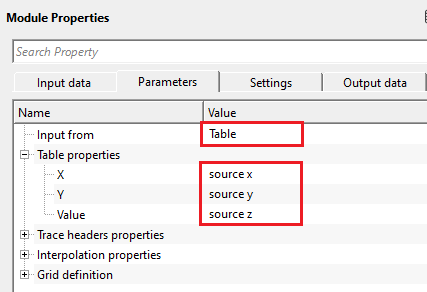
Select the Input from table from the drop down menu and select the corresponding values to read from Table properties. We've selected source x, source y and source z
Execute the module to create the interpolation matrix. This interpolation matrix will be used as an input to Export gather/matrix to ASCII file module as input matrix.
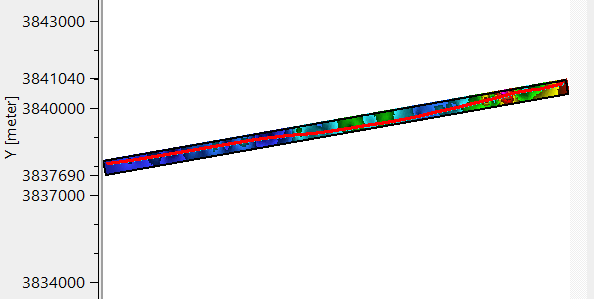
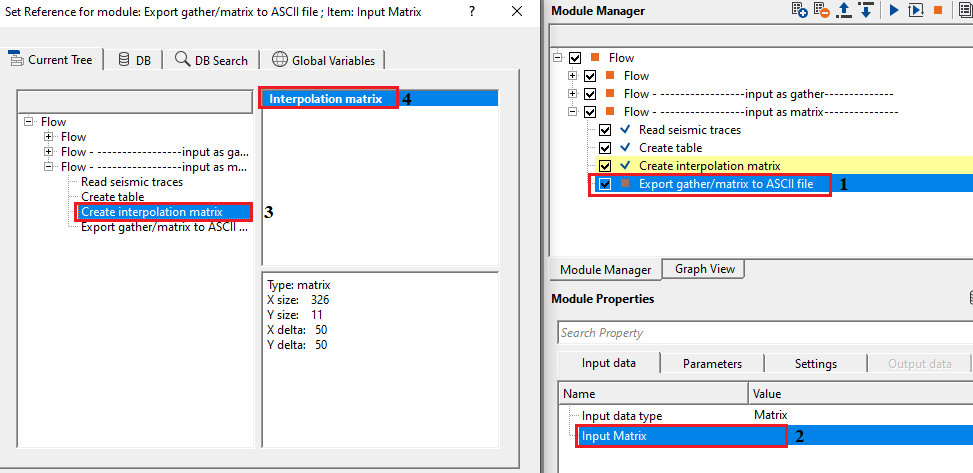
The final output will be something like this
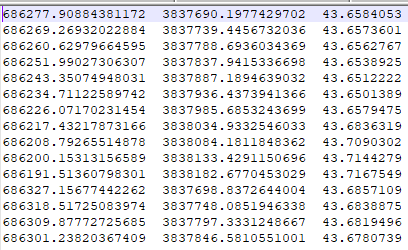
It displays source x, source y & source z values. Likewise, the user can export any trace headers information by creating an interpolation matrix and export them as an ASCII file. 1
Actions
There are no action items available for this module. All processing is triggered by the standard workflow execution.
Video lesson
YouTube video lesson, click here to open [VIDEO IN PROCESS...]
Related articles
Yilmaz. O., 1987, Seismic data processing: Society of Exploration Geophysicist
 * * * If you have any questions, please send an e-mail to: support@geomage.com * * *
