Load raster
Theory
The Load Raster module imports post-stack seismic data stored in raster format (example GeoTIFF) into the processing or interpretation environment. The module is designed to read georeferenced raster files that contain valid EPSG coordinate reference system (CRS) information embedded in their metadata.
The presence of a valid EPSG code ensures correct spatial positioning and alignment of the seismic section within map-based workflows and other geospatial datasets.
EPSG (European Petroleum Survey Group) code is a standardized numeric identifier that defines a specific Coordinate Reference System (CRS).
Each EPSG code uniquely describes:
- Projection type (UTM, Web Mercator)
- Datum (WGS84)
- Units (meters or degrees)
- Coordinate system definition
Example:
- EPSG:4326 – WGS84 geographic (latitude/longitude)
- EPSG:3857 – Web Mercator projected system
Input data
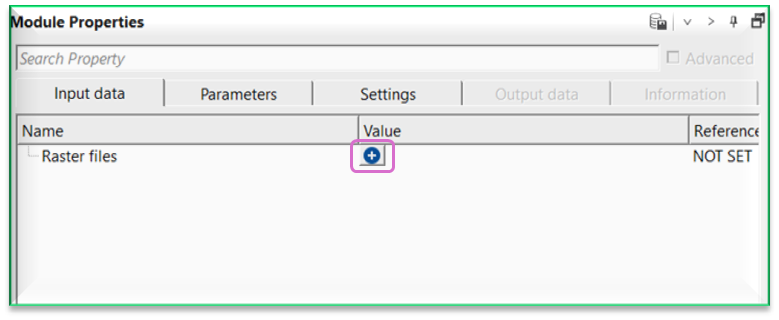
Raster files - provide the post-stack seismic raster file (example GeoTIFF) to be loaded. The file must contain valid geospatial metadata, including coordinate reference information.
Parameters
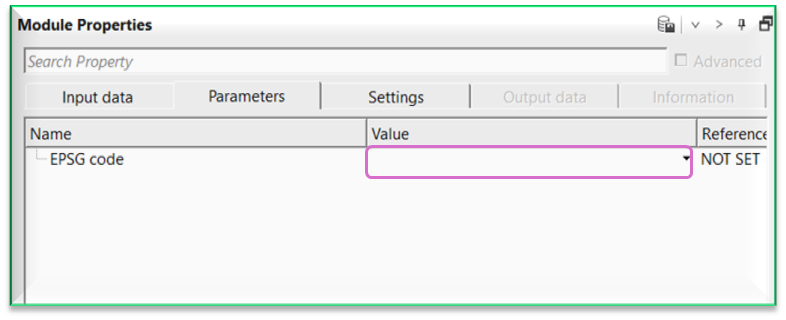
EPSG code - specifies or displays the Coordinate Reference System (CRS) identifier embedded in the raster file. The EPSG code defines the projection, datum, and coordinate units, ensuring correct spatial positioning and alignment with other datasets.
Settings
Skip
By default, FALSE(Unchecked). This option helps to bypass the module from the workflow.
Output data
There is no output data.
Information
There is no information available for this module.
Examples
In this example workflow, we are reading a post-stack seismic section which is in TIFF file format. This file contains the EPSG code embedded into the file. Without EPSG code, the file can't be read.
Inside the Input data tab, click on  icon. It will open a new window. Provide and the file name and path of the raster file.
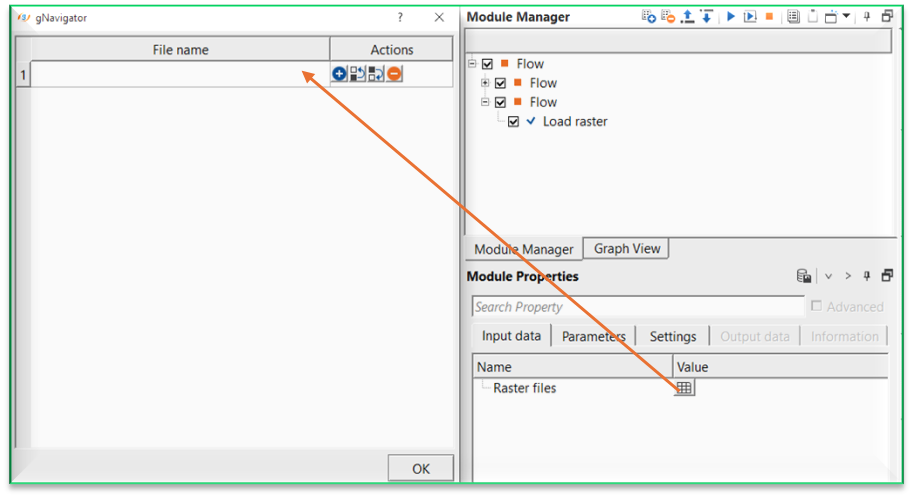
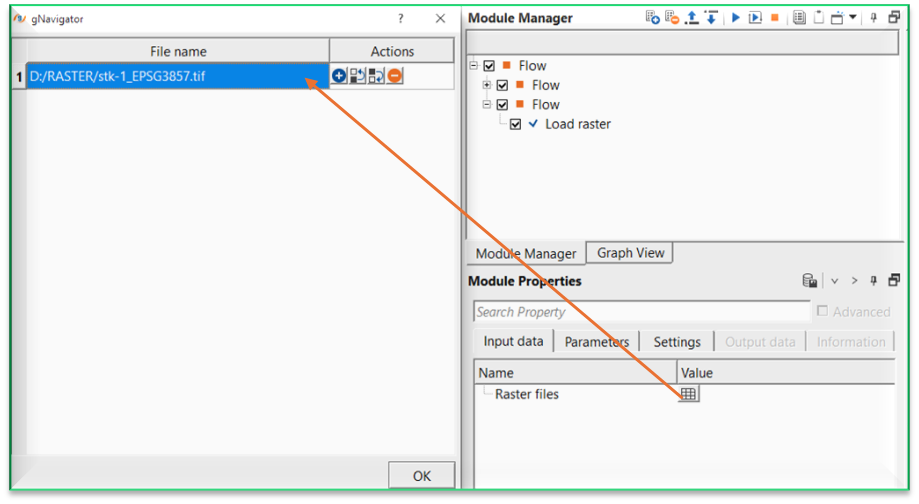
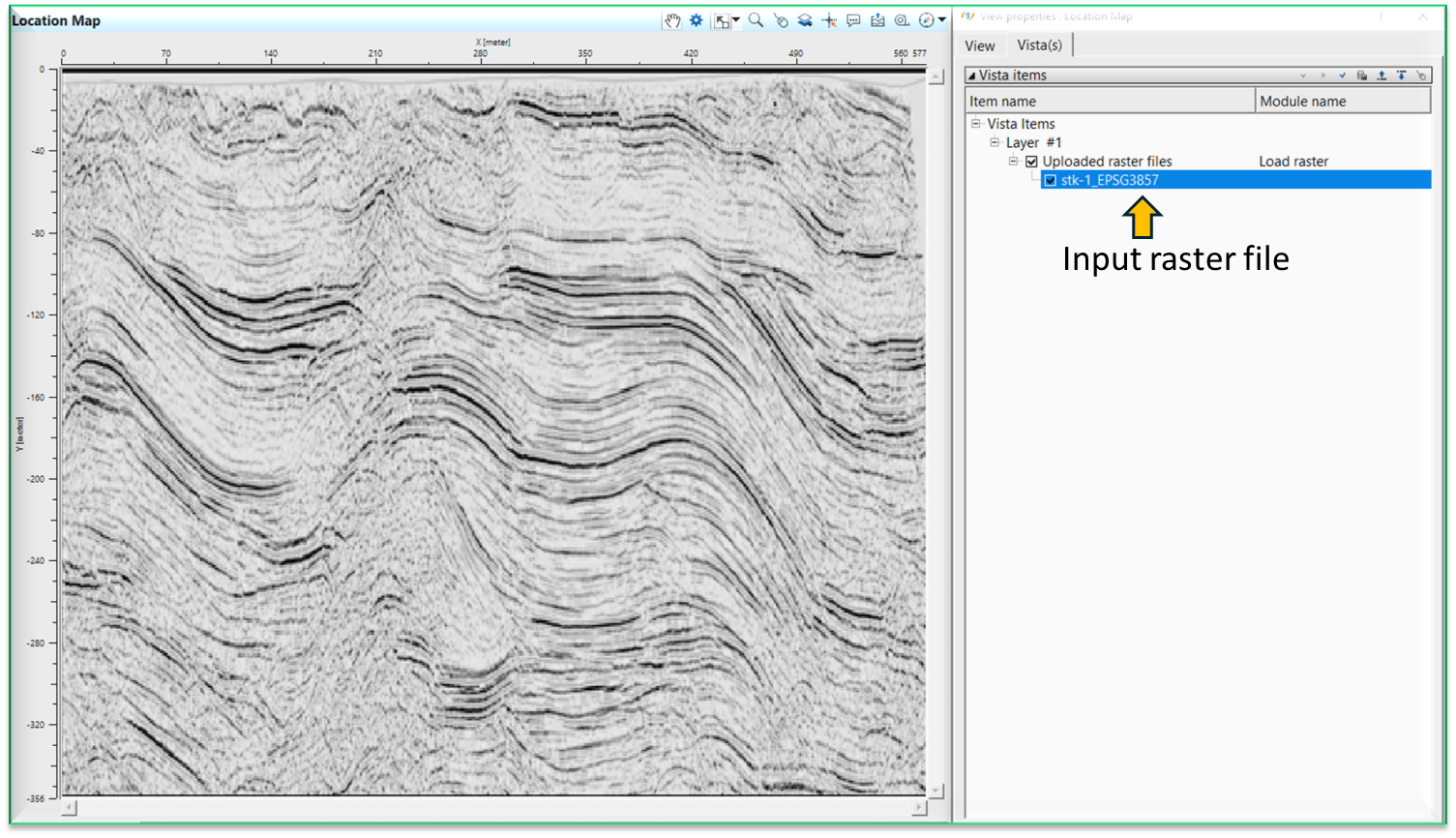
Execute the module. It will have a Location map as a vista item. On the location map, it will display the imported/read input raster file.
Actions
There are no action items available for this module.
Video lesson
YouTube video lesson, click here to open [VIDEO IN PROCESS...]
Related articles
Yilmaz. O., 1987, Seismic data processing: Society of Exploration Geophysicist
 * * * If you have any questions, please send an e-mail to: support@geomage.com * * *
