Reverse gather
Reversing the channel/Offsets of an input gather
Theory
Reverse Gather module reverses the trace order within each gather without modifying trace amplitudes or header values (other than sequence order). This operation is used to change the directional ordering of traces for consistency, visualization, or compatibility with downstream processing modules.
The gather structure (shot, CMP, receiver, etc.) is preserved while the internal trace sequence is inverted. No resampling or amplitude modification is performed. Traces in each gather are reordered from last to first. Gather boundaries remain unchanged. Reversing offset order (far-to-near or near-to-far)
Input data
Input DataItem
Input gather
connect/reference to the Output gather that needs to be reversed. The input gather could be a pre or post-stack gather. It could be a Shot/Receiver/CMP gather.
Parameters
There are no parameters associated with this module.
Settings
Auto-connection
By default, TRUE(Checked).It will automatically connects to the next module. To avoid auto-connect, the user should uncheck this option.
Bad data values option { Fix, Notify, Continue }
This is applicable whenever there is a bad value or NaN (Not a Number) in the data. By default, Notify. While testing, it is good to opt as Notify option. Once we understand the root cause of it, the user can either choose the option Fix or Continue. In this way, the job won't stop/fail during the production.
Fix
It will fix the bad values and continue executing the workflow.
Notify
It will notify the issue if there are any bad values or NaN. This will halt the workflow execution.
Continue
This option will continue the execution of the workflow however if there are any bad values or NaN, it won't fix it.
Number of threads
One less than total no of nodes/threads to execute a job in multi-thread mode. Limit number of threads on main machine.
Skip
By default, FALSE(Unchecked). This option helps to bypass the module from the workflow.
Output data
Output DataItem
Output gather
generates the trace/offset reversed gather as an output.
Information
There is no information available for this module.
Examples
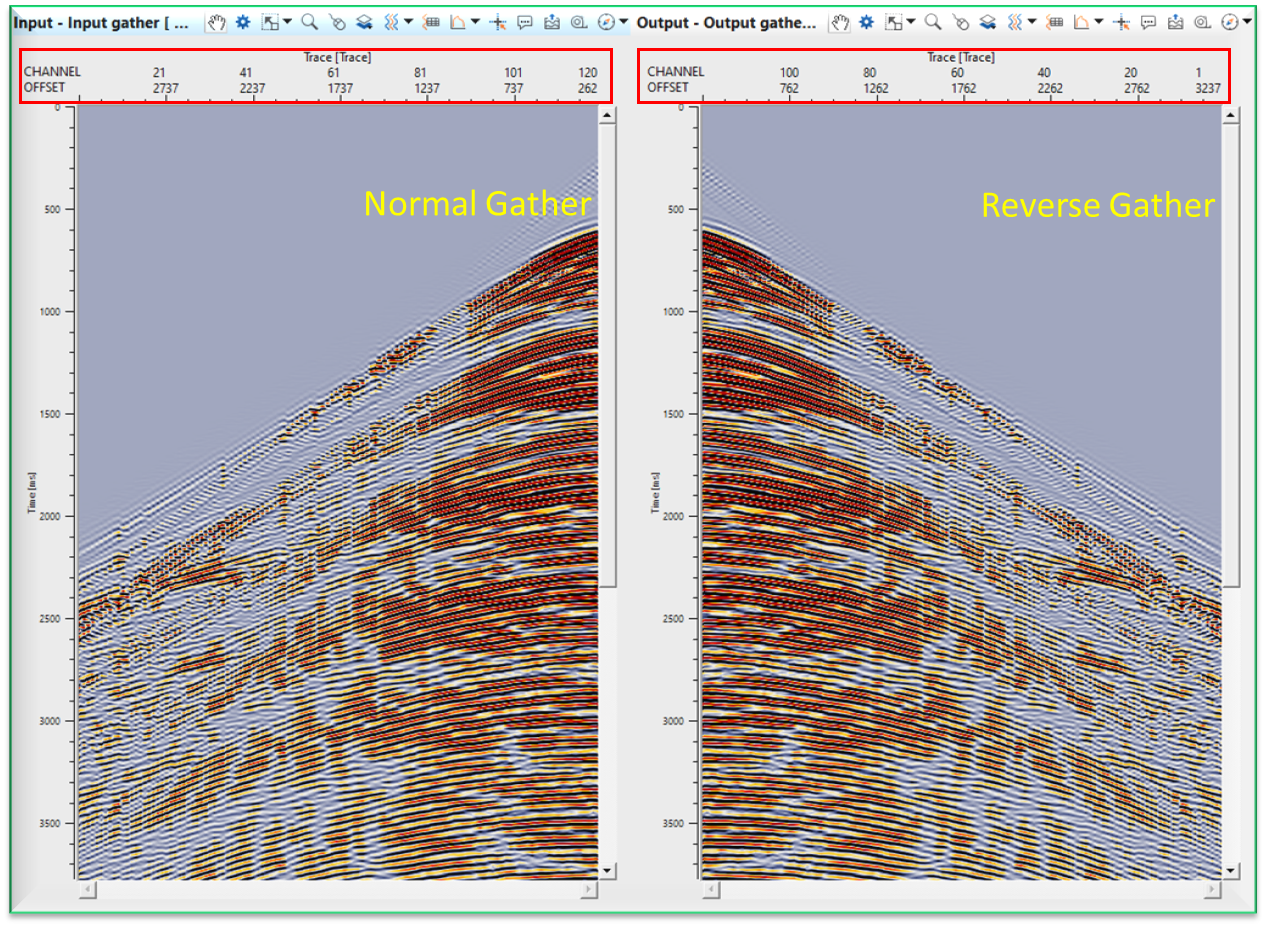
In this example workflow, we reverse a simple common shot gather. The channels starting from 1 to 120 (left to right). After reversing the gather, the channels starts from 120 to 1 (left to right). The user can annotate the OFFSET headers and check the same.
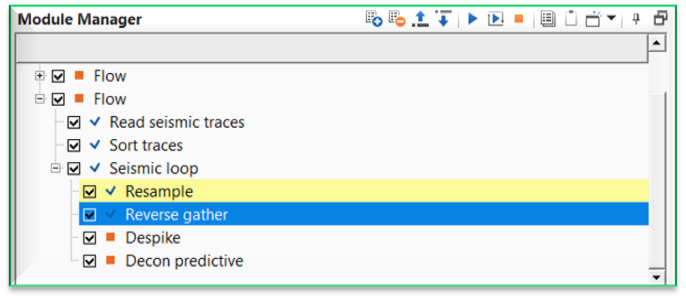
Execute the module and generate the vista items. It will display Input gather and Output gather. Annotate Channel and/or OFFSET trace headers by using View Properties.
Actions
There are no action items available for this module.
Video lesson
YouTube video lesson, click here to open [VIDEO IN PROCESS...]
Related articles
Yilmaz. O., 1987, Seismic data processing: Society of Exploration Geophysicist
 * * * If you have any questions, please send an e-mail to: support@geomage.com * * *
