Save item
Saving vista items (some) internally as an item.
Theory
Save item module is used to save some of the vista items that can be utilized/recalled later in the processing sequence. This module is very helpful in saving the statics solution, velocity picks, mute picks, bin grid(s) etc.
Input data
Item for save
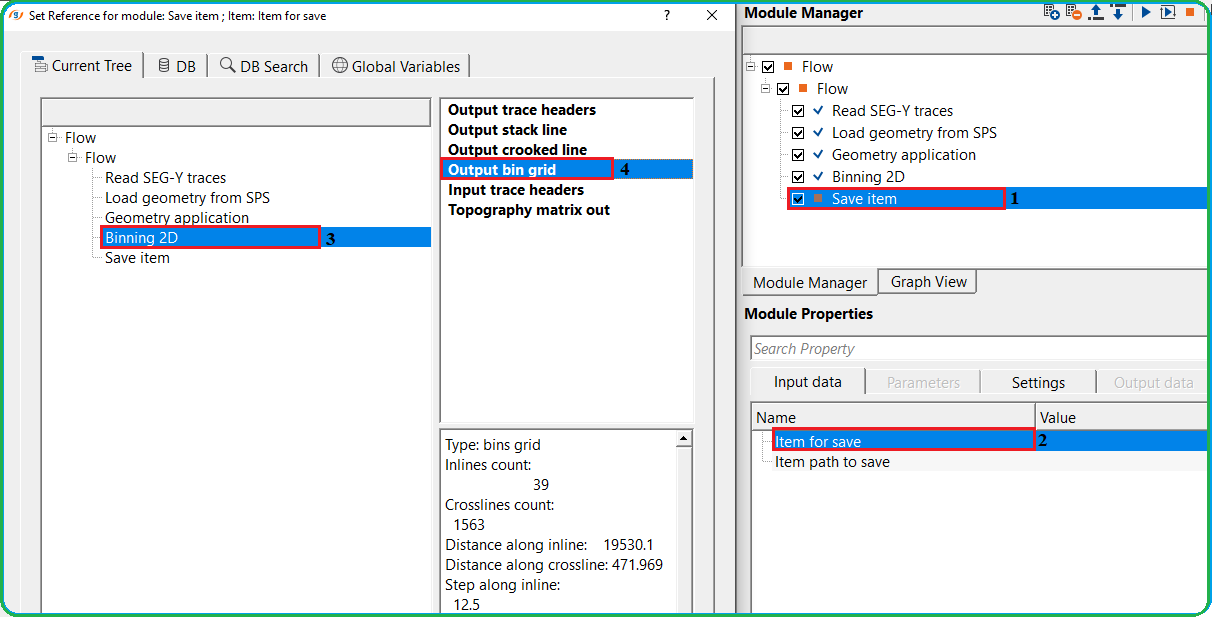
choose the vista item from the available list by selecting the corresponding module. Usually velocities, mutes, bin grids, statics etc.
Item path to save
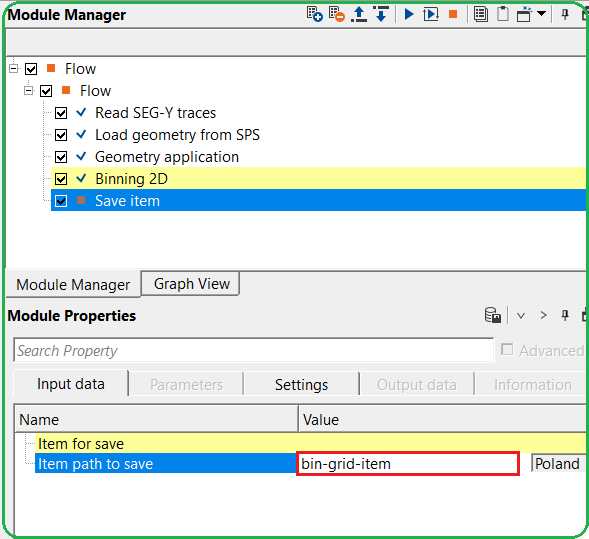
specify the name of the vista item to be saved as an item. It is an internal format file.
Parameters
There are no parameters associated with this module.
Settings
Skip
By default, FALSE(Unchecked). This option helps to bypass the module from the workflow.
Output data
There are no output vista items available for visualization/QC purpose.
Information
There is no information available for this module.
Examples
In this example, we are saving output bin grid for future requirement. Similarly, the use can save the topography matrix out, velocity inline/xline, mute picks, statics as "item" from various other modules.
Now the user should provide a name for this vista item to be saved as an item. Specify a name against "Item path to save"
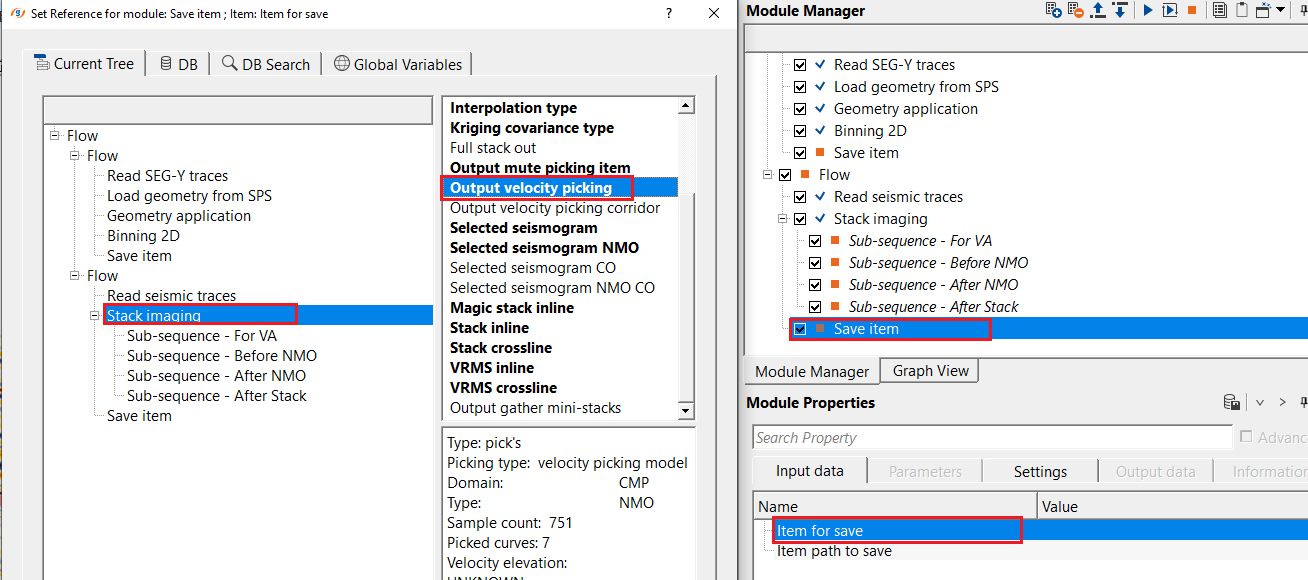
Likewise, the user can save velocities, mutes, statics as save items.
Actions
There are no action items available for this module.
Video lesson
YouTube video lesson, click here to open [VIDEO IN PROCESS...]
Related articles
Yilmaz. O., 1987, Seismic data processing: Society of Exploration Geophysicist
 * * * If you have any questions, please send an e-mail to: support@geomage.com * * *
